EasyManua.ls Logo

Akai VS-G240EA - Page 5

Akai VS-G240EA
82 pages
Print Icon
To Next Page IconTo Next Page
To Previous Page IconTo Previous Page
Loading...
.
The
address
“Fd”
and
its
data
will
be
shown
in
the
FL
display
approx
2
seconds
later
automatically.
Repeat
the
presetting
(steps
4
to
5)
for
addresses
“Fd”,
“F—"
and
“FF”
in
the
same
manner
as
address
“FC”.
.
Press
the
“reset”
button
to
disengage
the
model
code
preset
mode.
NOTE
:This
model
code
preset
is
absolutely
necessary
when
the
IC404
(EEP-ROM)
on
the
MAIN
PCB
is
replaced.
3)
Video
switching
point
preset
1.
2.
Engage
the
“test
mode”.
Connect
CH-1
of
an
oscillascope
to
VIDEO
OUT
and
CH-2
to
the
TP852
(V-SWP)
on
the
PRE
AMP
PCB
for
triggering.
.
Play
back
the
reference
tape
TF-530RFS
(Part
No.:
AT-751775).
Check
the
seconds
display
of
the
FL
display
so
that
“1F"
(center
position
in
the
tracking
range)
is
indicated
at
this
point.
If
not
indicated,
press
the
"<"
or
“>"
button
on
the
remote
contro!
until
“1F"
is
indicated.
.
Press
the
“REC”
button
during
playback.
.
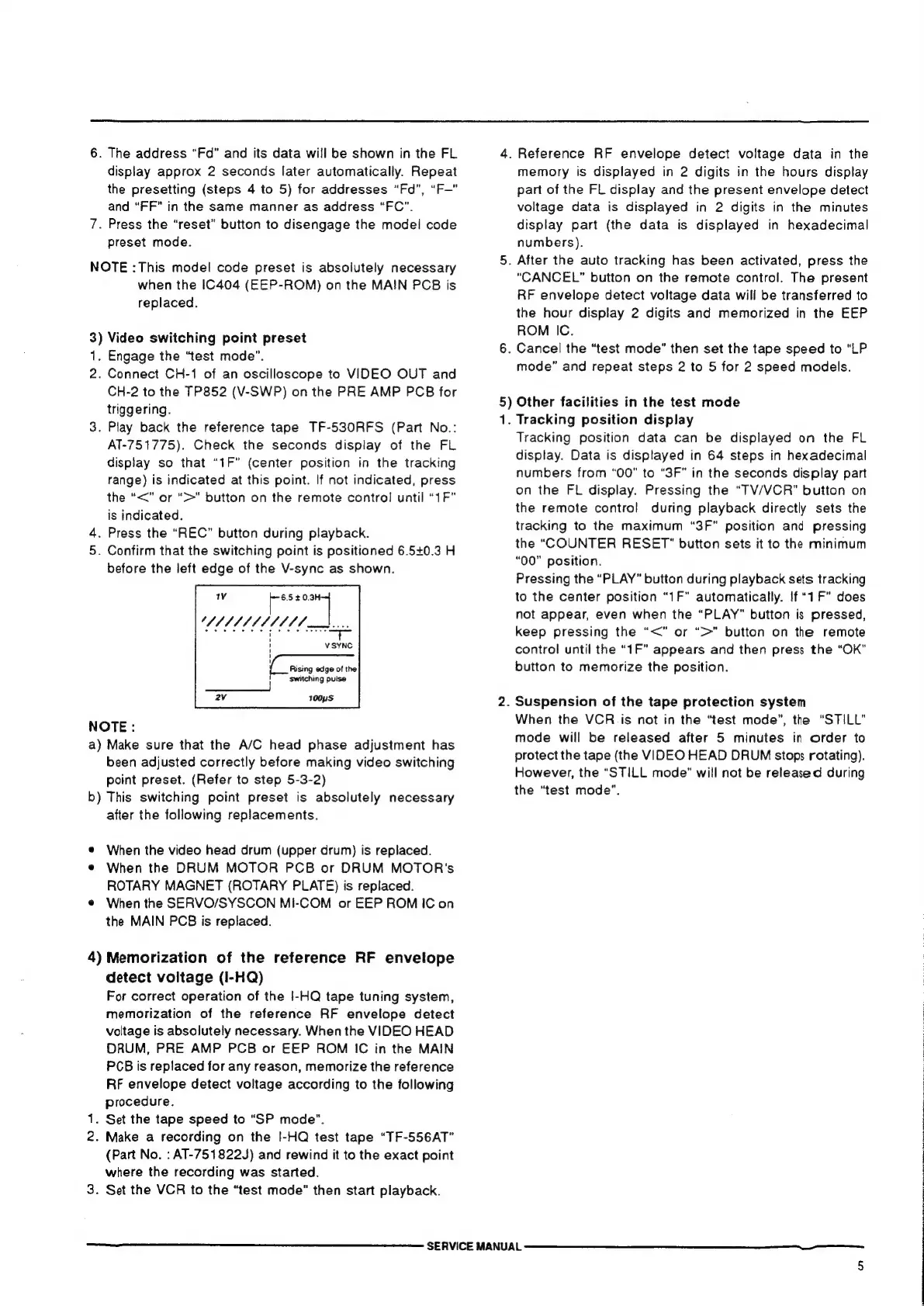
Confirm
that
the
switching
point
is
positioned
6.5+0.3
H
before
the
left
edge
of
the
V-sync
as
shown.
Vv
eal
ANNA
ASA
SSAA...
2v
100uS
NOTE
:
a)
Make
sure
that
the
A/C
head
phase
adjustment
has
been
adjusted
correctly
before
making
video
switching
point
preset.
(Refer
to
step
5-3-2)
b)
This
switching
point
preset
is
absolutely
necessary
after
the
following
replacements.
e
When
the
video
head
drum
(upper
drum)
is
replaced.
®
When
the
DRUM
MOTOR
PCB
or
DRUM
MOTOR's
ROTARY
MAGNET
(ROTARY
PLATE)
is
replaced.
When
the
SERVO/SYSCON
MI-COM
or
EEP
ROM
IC
on
the
MAIN
PCB
is
replaced.
4)
Memorization
of
the
reference
RF
envelope
detect
voltage
(I-HQ)
For
correct
operation
of
the
|-HQ
tape
tuning
system,
memorization
of
the
reference
RF
envelope
detect
voltage
is
absolutely
necessary.
When
the
VIDEO
HEAD
DRUM,
PRE
AMP
PCB
or
EEP
ROM
IC
in
the
MAIN
PCB
is
replaced
for
any
reason,
memorize
the
reference
RF
envelope
detect
voltage
according
to
the
following
procedure.
.
Set
the
tape
speed
to
“SP
mode”.
2.
Make
a
recording
on
the
I-HQ
test
tape
“TF-556AT”
(Part
No.
:
AT-751822J)
and
rewind
it
to
the
exact
point
where
the
recording
was
started.
.
Set
the
VCR
to
the
“test
mode”
then
start
playback.
4.
Reference
RF
envelope
detect
voltage
data
in
the
memory
is
displayed
in
2
digits
in
the
hours
display
part
of
the
FL
display
and
the
present
envelope
detect
voltage
data
is
displayed
in
2
digits
in
the
minutes
display
part
(the
data
is
displayed
in
hexadecimal
numbers).
5.
After
the
auto
tracking
has
been
activated,
press
the
“CANCEL”
button
on
the
remote
control.
The
present
RF
envelope
detect
voltage
data
will
be
transferred
to
the
hour
display
2
digits
and
memorized
in
the
EEP
ROM
IC.
6.
Cancel
the
“test
mode”
then
set
the
tape
speed
to
“LP
mode”
and
repeat
steps
2
to
5
for
2
speed
models.
5)
Other
facilities
in
the
test
mode
1.
Tracking
position
display
Tracking
position
data
can
be
displayed
on
the
FL
display.
Data
is
displayed
in
64
steps
in
hexadecimal
numbers
from
“OO”
to
“3F”
in
the
seconds
display
part
on
the
FL
display.
Pressing
the
“TV/VCR”
button
on
the
remote
contro!
during
playback
directly
sets
the
tracking
to
the
maximum
“3F”
position
and
pressing
the
“COUNTER
RESET"
button
sets
it
to
the
minimum
“00”
position.
Pressing
the
“PLAY”
button
during
playback
sets
tracking
to
the
center
position
“1F”
automatically.
If
“1F”
does
not
appear,
even
when
the
“PLAY”
button
is
pressed,
keep
pressing
the
“<”
or
“>"
button
on
the
remote
control
until
the
“1F”
appears
and
then
press
the
“OK”
button
to
memorize
the
position.
2.
Suspension
of
the
tape
protection
system
When
the
VCR
is
not
in
the
“test
mode”,
the
“STILL”
mode
will
be
released
after
5
minutes
in
order
to
protect
the
tape
(the
VIDEO
HEAD
DRUM
stops
rotating).
However,
the
“STILL
mode”
will
not
be
released
during
the
“test
mode”.
SERVICE
MANUAL
————__———————
5