This document is a service manual for the AKIRA HTS-999-311 Home Theatre System, designed to help technicians troubleshoot and repair the device. It includes information on safe operation, common troubleshooting scenarios, and detailed diagrams of the front panel control, amplifier, and overall circuit.
Function Description:
The AKIRA HTS-999-311 is a Home Theatre System capable of producing audio output in 2-channel mode. It integrates various audio processing and amplification functionalities to deliver a comprehensive home entertainment experience. Key components include a pre-amplifier circuit, an amplifier circuit, and input switching capabilities for multiple audio sources. The system also features a microphone input with echo functionality, a radio tuner, and a VFD (Vacuum Fluorescent Display) for user interface feedback. Additionally, it supports DVD output, indicating its role as a central audio-visual hub. The system's design incorporates protection circuits to ensure safe operation and prevent damage.
Important Technical Specifications:
- Model Number: HTS-999-311
- Version: 1.0
- Power Supply: AC240V 50Hz/60Hz (with optional AC 120V/240V 50Hz/60Hz support). The manual emphasizes the importance of connecting to the correct voltage.
- Output Mode: Capable of 2-channel mode operation.
- Volume Preset: Factory setting for maximum volume is 0dB, indicating a controlled audio output level.
- Safety Tube: Equipped with a 250V 5A safety tube for power protection.
- Power Supply Voltages (Internal):
- Amplifier: +40V
- VFD Display: 24V/6V
- DVD: +5V
- IC CD4052/PT2253: +5.1V
- Transformer to front panel controller: AC22V and AC6V
- Wavy power supply: 220V/240V (for testing purposes with a 40W bulb)
- Integrated Circuits:
- CD4052: Dual 4-channel Analog Multiplexer (used for input signal selection).
- PT2253: Volume control IC.
- BA5049: Remote receiver and decoder.
- LM324: Quad Operational Amplifier, VFD display driver.
- CD4053/4052: Mentioned in relation to DVD output, likely for signal routing.
- Capacitors:
- 47uF/50V: Mentioned in relation to center and surround output, potential cause of small sounds if invalid.
- 3300uF/50V: Filter electric capacitor, potential cause of hum sounds if invalid.
- 470uF/50V: Mentioned in relation to VFD display damage.
- Diode: IN4004 (mentioned in relation to VFD display damage).
- Power Transistor: C5196 (big power transistor, prone to burnout).
Usage Features:
The manual primarily focuses on service and maintenance rather than end-user features. However, it implicitly reveals some operational aspects:
- Input Selection: The system allows users to select different input signals, controlled by IC CD4052.
- Volume Control: Volume is managed by the PT2253 IC.
- Remote Control: The presence of the BA5049 IC indicates remote control capability.
- Display: A VFD provides visual feedback to the user.
- Microphone Functionality: Includes a microphone input with echo effect.
- Radio Functionality: Features a radio tuner.
- DVD Playback: Supports DVD output, suggesting integration with a DVD player or a built-in player.
Maintenance Features:
The service manual provides extensive guidance for maintenance and troubleshooting:
- Safe Operation Guidelines:
- Ensure correct voltage connection (AC240V 50Hz/60Hz or 120V/240V 50Hz/60Hz optional).
- Preset maximum volume to a safe level (0dB factory setting).
- Operate in an airy area, away from direct sunlight and high temperatures.
- Ensure sufficient air circulation.
- Protect the power cord from heavy objects, stamping, pulling, or pushing with excessive force.
- Prevent metal objects (pins, needles, coins) from falling into the equipment to avoid short circuits.
- Avoid water, dust, and moisture; do not place liquid containers over the equipment.
- Do not use volatile solutions for cleaning.
- Troubleshooting Steps:
- No Power: Check power cord, 120V/240V voltage switch, power switch, 250V 5A safety tube, and transformer.
- No Sound: Check +40V power, protecting circuit (relay), pre-amp circuit, source input switch, and source input connection.
- Microphone No Sound: Check power supply, Mic input, and echo function.
- No Radio: Check power supply, radio wire, and source input switch.
- VFD Display No Display: Check 24V/6V power and the VFD display itself.
- DVD No Output: Check +5V power and CD4053/4052 ICs.
- Amplifier with One Channel Output: Check signal input, amplifier circuit, and protecting circuit.
- Output Distortion: Check signal input, +40V power, amplifier circuit, and protecting circuit.
- Specific Repair Scenarios:
- Cracking/Small Sounds: Investigate input signal direct current, IC CD4052, electric capacitor 47uF/50V, and PT2253. Test IC power supply (+5.1V). Solution: Change damaged parts.
- Hum Sounds: Check filter electric capacitor 3300uF/50V. Solution: Change damaged capacitor.
- VFD Display Damage: Caused by high voltage from transformer, friability, strong shock. Check VFD display, electric capacitor 470uF/50V, and diode IN4004. Test power from transformer (AC22V and AC6V). Solution: Change damaged parts and observe for abnormality.
- Front Panel Loses Control/Cannot Choose Input: Caused by electromagnetism, wavy power supply, high working voltage, or IC BA5049/LM324 losing control due to temperature/humidity. Check IC BA5049, CD4052, LM324. Test IC working voltage (+5.1V). Solution: Change damaged parts, place player away from electromagnetism, operate at steady voltage.
- Big Power Transistor C5196 Burnout: Refer to Amplifier Diagram for possible damage parts. Use a digital multimeter to test components. A specific repair technique involves series-wound connecting a 40W bulb at the wavy power supply (220V/240V) to indicate short circuits during repair. If the bulb shines brightly, a short circuit is still present; if it dims slowly, the player is working normally.
- Diagrams: The manual includes detailed diagrams for the front panel control, amplifier, and circuit, which are crucial for identifying components and tracing signal paths during repair.

 Need help?
 General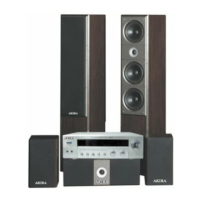

 To Next Page