MyCloud Mini Introduction
[2]
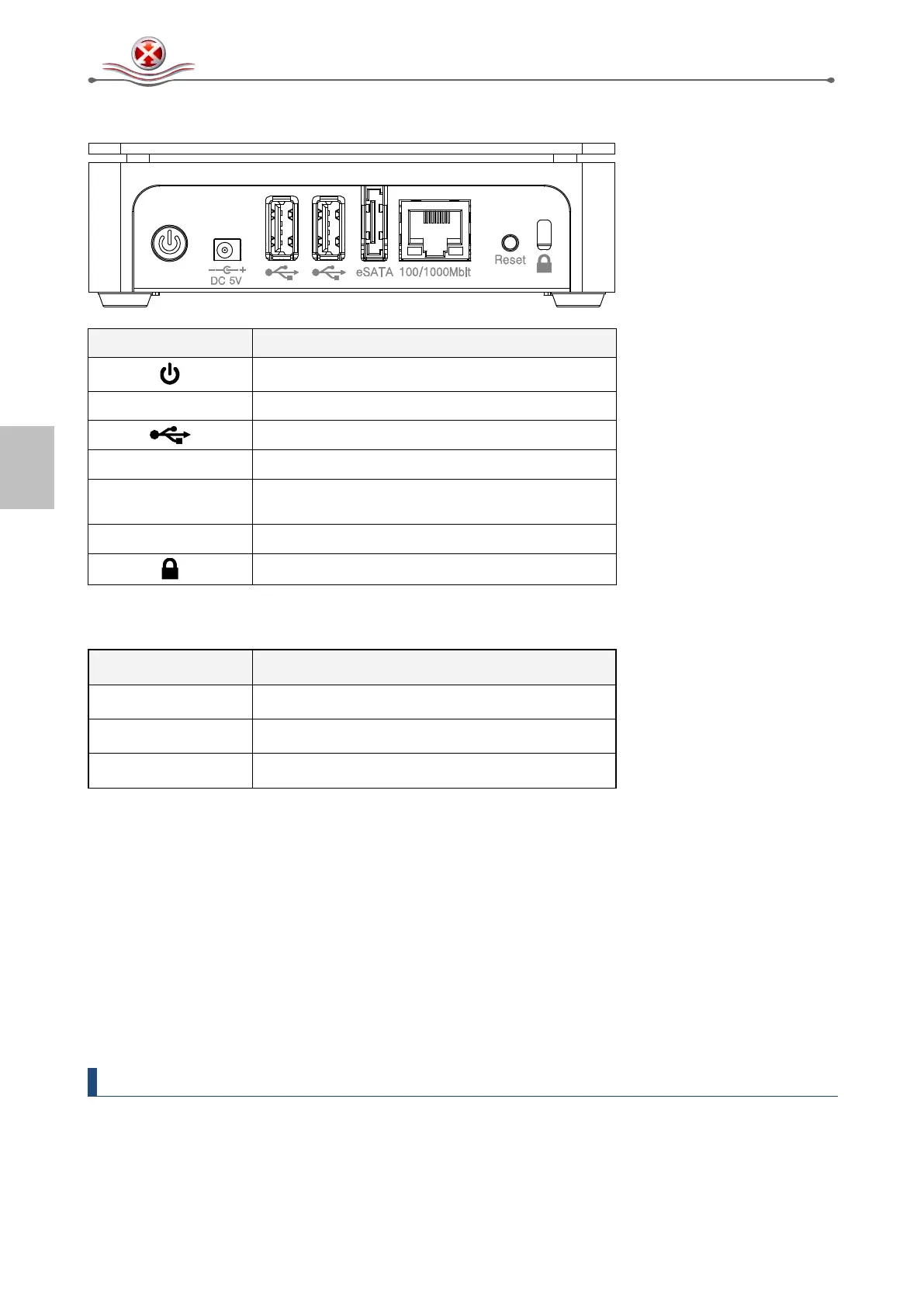
1.6 Detailed View
Power button
100/1000Mbit
Gigabit Ethernet port
1.6.1 LED indication
LED Status Meaning
Flashing Blue System is starting up
Blue System ready
Red System error (unable to start up system)
1.6.2 Power ON/OFF Procedure
Connect the power supply to your device first and only then plug it into the wall socket. To turn on
the device, press the power switch to start up the system. It will take about 1-2 minutes for the
device to go online but the blue system LED will indicate when the system is ready.
To safely turn off the device, press and hold the power switch for 3 seconds until the blue system
LED turns off. The system will then shut down all services and about 20 seconds later, it will power
down.
If for some reasons the system is unresponsive, press and hold the power switch for 6 seconds to
forcefully shut down the system and cut off the power.
Note
If the device is not in use for longer periods of time, it is recommended to turn off the device
and remove the power supply from the wall socket.


 To Next Page