MyCloud Pro Getting Started
[3]
2 Getting Started
2.1 Before Use
2.1.1 Hard Drive Installation
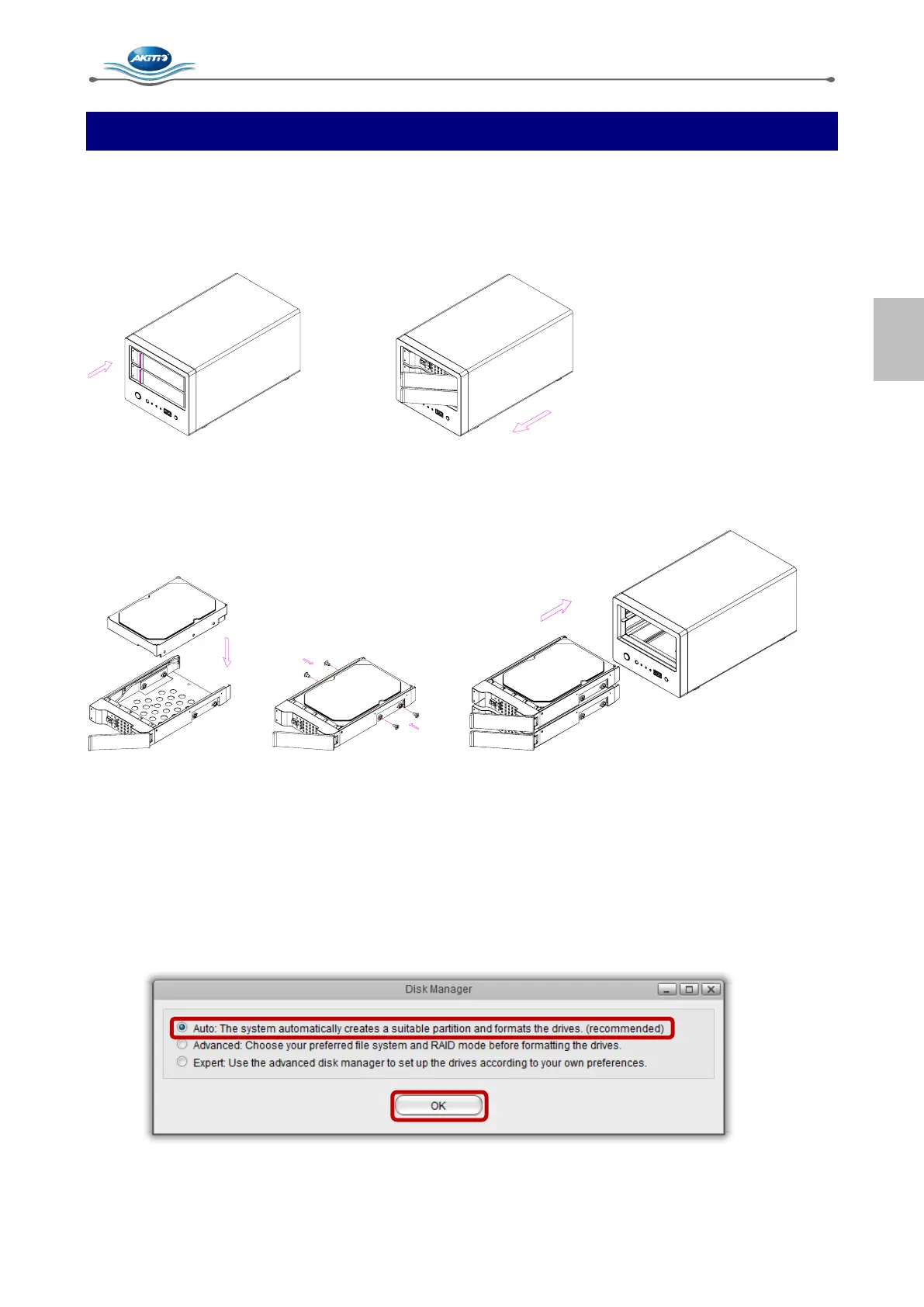
Push the protruding left edge of the tray handle in to release the tray and use the handle to pull out the
tray.
Install the hard drive, making sure the connector is facing the open side of the bracket. Slide the tray
back into the enclosure and push the handle lightly into place.
2.1.2 Hard Drive Setup
Unless the hard drives have been set up already, you have to set up a drive first, before you can
properly use the device. In order to use all of the functions, a partition has to be mounted as HOME and
the drive has to be formatted.
1. Login and start the disk manager.
2. Select Auto and click OK.
3. Click Auto to setup and format the drive(s).



 To Next Page