17
Bluetooth Setup Instruction 1
1.Switch to Bluetooth mode
2.Set the Bluetooth profile
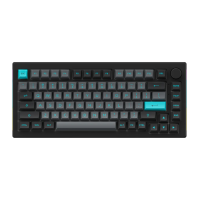
To help user recognize individual Bluetooth device, the keyboard is equipped with both Bluetooth 5.0 and 3.0 frameworks. The device
name under the Bluetooth 5.0 framework is 5075BP-1 / 5075BP-2 / 5075BP-3 while the device name under Bluetooth 3.0 is Akko 5075BP
BT3.0. Once the devices are paired through Fn + E/R/T, the system will by default memorize the last connected device before you turn off
the Bluetooth mode.
① When the keyboard remains unplugged, users can push the switch on the back to the left/right to enter Windows/Mac mode
correspondingly. Then long press and hold Fn + E / R / T to start pairing with Bluetooth devices. The keyboard will enter Bluetooth pairing
mode when the blue LEDs under E / R / T keys flash quickly.
② When the Keyboard is plugged into the computer through USB interface, it will enter Bluetooth mode automatically without having to
push the switch on the back. Users can directly long press and hold Fn + E / R / T to enable Bluetooth pairing. The keyboard will enter
Bluetooth pairing mode when the blue LEDs under E / R / T keys flash quickly.


 To Next Page