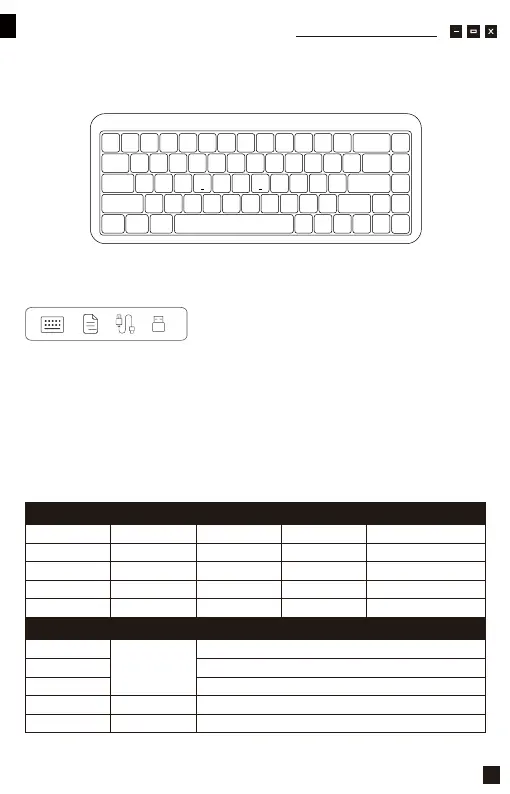
Button Q
Thank you for supporting Akko
Packing List
What's in the package
Minimum System Requirement
Connectivity Method
LED Indicator Overview
Status
Indicator
Status
Indicator
Re-Connecting Pairing
Indicating Mode
Connected
Windows®XP/Vista / 7 / 8 / 10 or higher version
Connect the keyboard to your computer by plugging in the USB cable into anavailable
USB-A port to start using it.
Button W
Button E
Button R
Left Ctrl Key
LED for Caps Key
LED for left Win Key
Steady White
Steady White
Steady Red
Green Light Stays On / Turn Off The Lights
Red Light Blinks Slowly
N/A N/A N/A
N/A
Bluetooth device 1
Bluetooth device 2
Bluetooth device 3
2.4G wireless device
Wired mode
Low Battery
Charging
Fully Charged
Caps
Lock Win
Blue light blinks slowly Blue light blinks fast
The indicator stops flashing
The indicator stops flashing
The indicator stops flashing
The indicator stops flashing
Yellow light blinks fast
Purple light blinks fast
Green light blinks fast
Yellow light blinks slowly
Purple light blinks slowly
Green light blinks slowly
01



 To Next Page