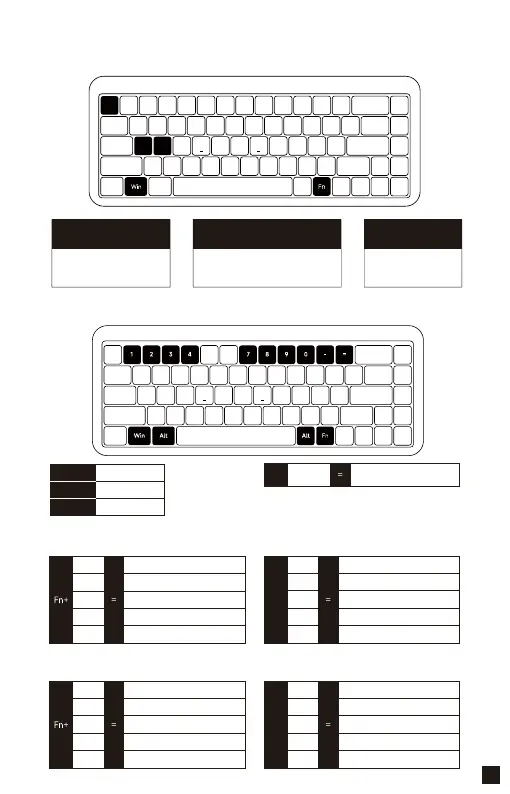
YU01 System Features (Windows)
YU01 System Features (Mac)
Switch SystemLock Windows Key
Restore Factory Settings
Fn+A (Windows)
Fn+S (Mac)
Press Fn and left Win Key
Hold down Fn and press Esc 3s
A
A
Esc
S
Fn+
Fn+
Note: Press Fn + Right Ctrl to switch to the Numeric Keys.
The short-cuts are as follows:
Note: Press Fn + Right Ctrl to switch to the Function Keys.
The short-cuts are as follows:
F1
F2
F3
F4
F7
1
2
3
4
7
8
9
0
-
+
F8
F9
F10
F11
F12
F1
F2
F3
F4
F7
Decrease display brightness
Increase display brightness
Open mission control
Activate Siri
Skip back (Audio)
Pause/Play (Audio)
Skip forward (Audio)
Mute
Volume down
Volume up
F8
F9
F10
F11
F12
Fn+
Right Alt
Left Alt
Left Win
Command
Command
Option
Right
Ctrl
Switch between Function
Keys and Numeric Keys.
03



 To Next Page