IN5 is the sixth terminal. To trigger input #5, momentarily short IN5 to ground.
Line 0500xx=xxx.mp3 in the playlist.txt will play.
IN6 is the seventh terminal. To trigger input #6, momentarily short IN6 to ground.
Line 0600xx=xxx.mp3 in the playlist.txt will play.
The last terminal is UP. Use this input to trigger IN7 to IN12 as follows:
To trigger input #7, momentarily short IN1 and UP together to ground. 07 in the
playlist.txt will play.
To trigger input #8, momentarily short IN2 and UP together to ground. 08 in the
playlist.txt will play.
To trigger input #9, momentarily short IN3 and UP together to ground. 09 in the
playlist.txt will play.
To trigger input #10, momentarily short IN4 and UP together to ground. 10 in the
playlist.txt will play.
To trigger input #11, momentarily short IN5 and UP together to ground. 11 in the
playlist.txt will play.
To trigger input #12, momentarily short IN6 and UP together to ground. 12 in the
playlist.txt will play.
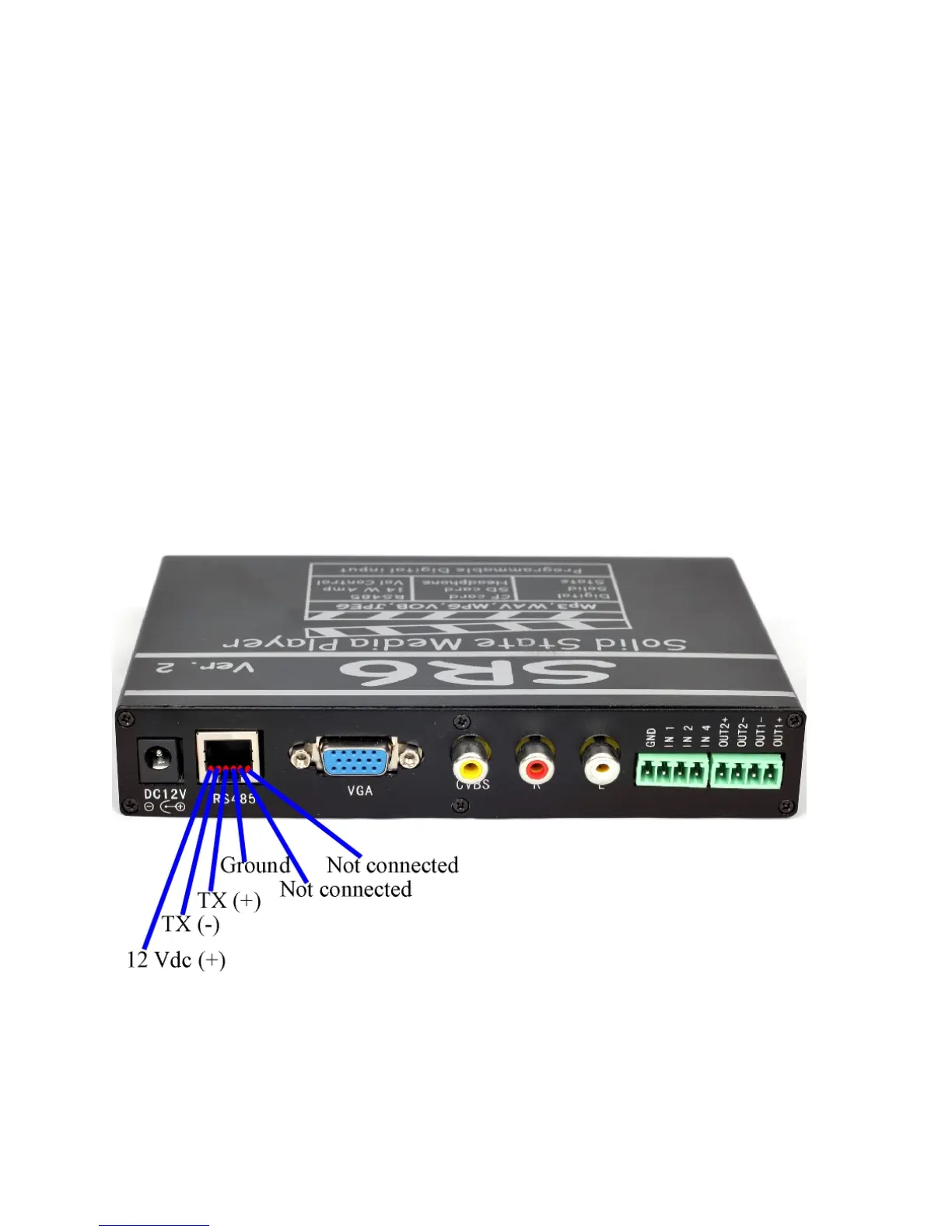
RS485 port:
The RS485 port is a bi-directional port. It uses RJ12 cable to communicate
with the SR6.



 To Next Page