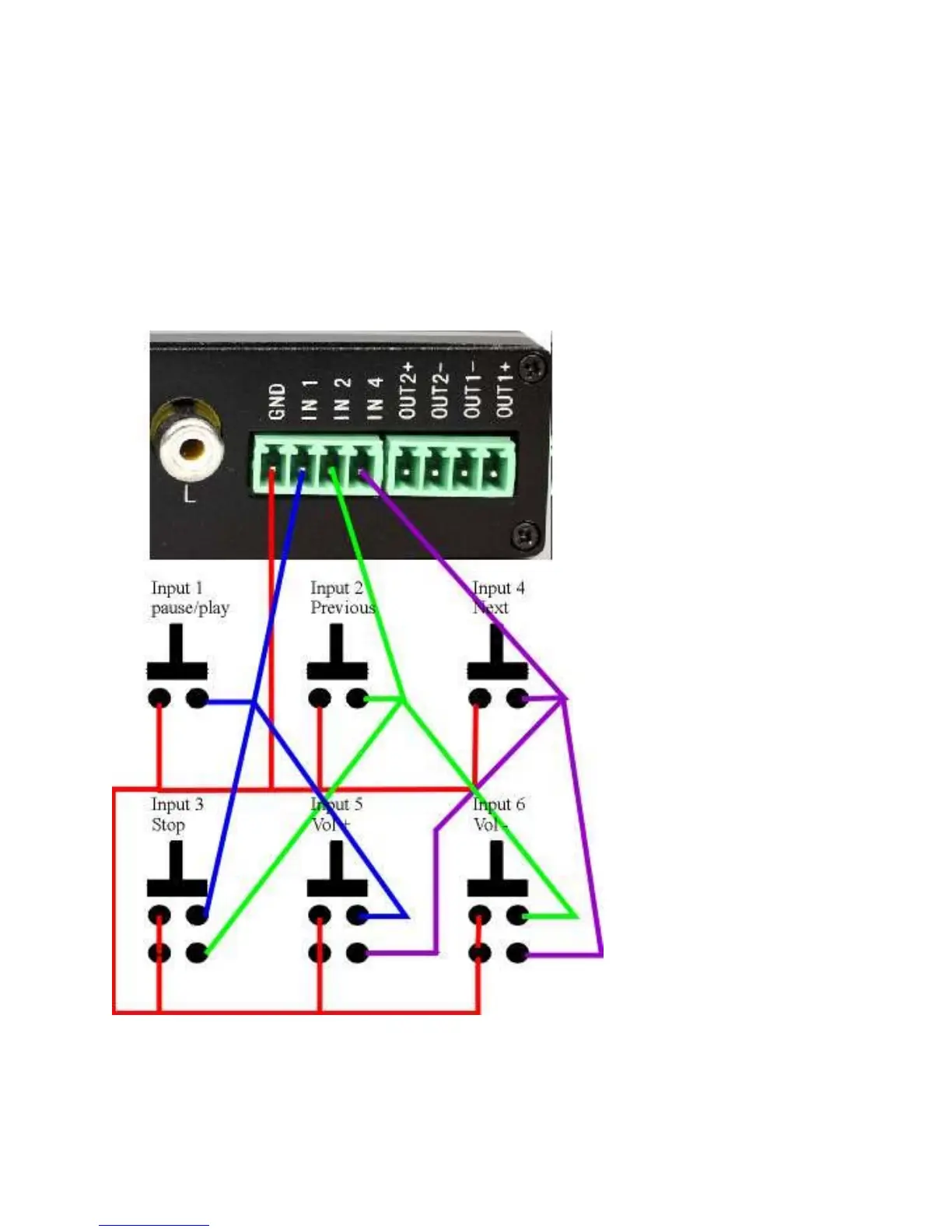
SR6 has a total of 6 built in input. In this mode, these inputs operate as
follows:
IN1 operates as PAUSE/PLAY.
IN2 operates as PREV (previous, lines 60-79 in playlist.txt).
IN4 operates as NEXT (next, lines 60 to 79 in playlist.txt only).
IN3 (IN1+IN2) operates as STOP.
IN5 (IN1+IN4) operates as VOL + (volume up).
IN6 (IN2+IN4) operates as VOL- (volume down).
SR6 in IR mode push button input definition:
To enter IR mode, add this line into the playlist.txt file:
IRMODE=ON (all capital letters only)



 To Next Page