EasyManua.ls Logo

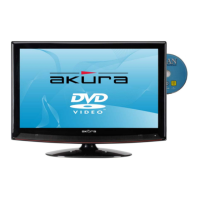
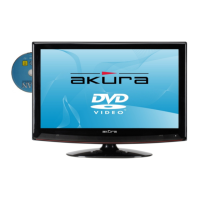
Akura APLDVD2YR1968VH - User Manual

Akura APLDVD2YR1968VH
32 pages
Print Icon
To Next Page IconTo Next Page
Loading...
APLDVD2YR1968VH
MSD306
Customer Help Line : 0845 293 7698
Website : www.ekey.co.uk
With DVD,DVBt “Freeview”, HDMI & PVR
Including Hotel Mode
Record via USB Memory stick or Hard drive (not supplied).

Other manuals for Akura APLDVD2YR1968VH

Questions and Answers

  • T
    Timothy WadeAug 19, 2025
    What to do if my Akura TV DVD Combo has no picture and a blue screen with 'No signal'?
    • J
      Jessica TerryAug 19, 2025
      If your Akura TV DVD Combo displays a blue screen with 'No signal', it could be due to several reasons: * Incorrect input settings: Ensure the selected input has a device connected and turned on. Check the 'Source' settings. * Aerial not connected: Make sure the aerial is properly connected. * TV not tuned or incorrect input selected: Follow the tuning instructions.
  • J
    John SimpsonAug 22, 2025
    What to do if my Akura TV DVD Combo picture is freezing and breaking up (Digital)?
    • J
      Juan AlvarezAug 22, 2025
      If the picture on your Akura TV DVD Combo is freezing and breaking up when watching digital channels, this is likely due to a poor aerial signal. Have your aerial signal checked, and if you're using an indoor aerial, consider switching to an outdoor aerial.
  • D
    Dr. Michelle WongAug 23, 2025
    What to do if my Akura TV DVD Combo picture is noisy and ghosting (Analog)?
    • K
      Kristen CurryAug 25, 2025
      If your Akura TV DVD Combo displays a noisy picture with ghosting on analog channels, the cause is likely a poor aerial signal. Have your aerial signal checked. If you're using an indoor aerial, it might be necessary to switch to an outdoor aerial.
  • M
    Michael MitchellAug 26, 2025
    Why is my Akura TV DVD Combo not recording or time shifting?
    • C
      Craig RobersonAug 26, 2025
      If your Akura TV DVD Combo is not recording or time shifting, the drive may not be detected because it is not formatted, or the USB connection is incorrect. To fix this: * Go to the Main menu, select PVR File system, and format the medium. * Ensure the medium is directly connected to the TV, not via an extension lead.
  • J
    jacobrobbinsAug 28, 2025
    What to do if the teletext on my Akura TV DVD Combo is freezing or breaking up?
    • K
      Kelsey BrooksAug 28, 2025
      If the teletext on your Akura TV DVD Combo is freezing or breaking up, it's likely due to a poor aerial signal. Have your aerial signal checked. If you are using an indoor aerial, it may need to be replaced with an outdoor aerial.
  • K
    Kimberly Sosa MDAug 30, 2025
    What to do if my Akura TV DVD Combo disc will not play?
    • O
      Omar GonzalesAug 30, 2025
      If your Akura TV DVD Combo disc will not play, it could be due to the following reasons: * The disc is not inserted correctly: Ensure the disc is inserted with the label facing forward. * The disc is dirty or damaged: Inspect the disc for damage or dirt. Clean the disc if necessary.
  • R
    rsanfordSep 1, 2025
    Why are digital signals missing on my Akura TV DVD Combo?
    • J
      Jacqueline JohnstonSep 1, 2025
      If you are missing digital signals on your Akura TV DVD Combo, it is likely due to a poor aerial signal. To resolve this, have your aerial signal checked. If you're using an indoor aerial, consider switching to an outdoor aerial.
  • C
    Catherine MccarthySep 3, 2025
    How to fix Akura TV DVD Combo when it is dead and no LED is lit?
    • V
      Victoria KingSep 4, 2025
      If your Akura TV DVD Combo is dead and no LED is lit, the problem is likely that the power is not connected to the TV. Check the power lead and mains supply connections, and ensure the power supply to the TV is turned on.
  • E
    Erik HernandezSep 5, 2025
    What to do if my Akura TV DVD Combo has no picture, but the LED is lit red?
    • R
      Randall StewartSep 5, 2025
      If your Akura TV DVD Combo has no picture but the LED is lit red, the TV is likely in standby mode. Press the Power button on the TV or the Power button on the remote control to turn it on.
  • A
    alexandria12Sep 7, 2025
    What to do if my Akura TV DVD Combo disc will not eject?
    • J
      Jacob ConradSep 7, 2025
      If the disc in your Akura TV DVD Combo will not eject, make sure that DVD is selected. Press the SOURCE button and select DVD.

Summary

Safety and Initial Setup

Safety Information and Instructions

Essential safety guidelines and precautions for using the appliance.

Remote Control Operation

Remote Control Button Functions

Detailed explanation of all buttons and their functions on the remote control.

Menu Operation Guide

First-Time Installation and Tuning

Step-by-step guide for initial TV setup and channel scanning.

Picture, Sound, and Timer Settings

Adjusting visual and audio preferences, and configuring timing functions.

Media Playback and Recording

PVR Setup and Recording Operations

Preparing storage for PVR, recording, and time shifting TV programs.

Troubleshooting Common Issues

Problem Identification and Solutions

Diagnosing and resolving common operational problems and symptoms with the TV.

Akura APLDVD2YR1968VH Specifications

General IconGeneral
BrandAkura
ModelAPLDVD2YR1968VH
CategoryTV DVD Combo
LanguageEnglish

Related product manuals