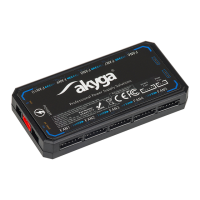
AK-CA-73 - user manual
p. 3
LED fan controller
Controller or
components connected
to it do not function
correctly
ź Check the correct connection of
the power supply to the power
network
ź Check the mains fuses
ź Activate the LED backlight in
the fans/strips using the remote
control
Incorrect connection of
the device
ź Check that the wires are well
embedded in the sockets
ź Make sure that the plugs are
correctly connected to the
controller
There is a suspicion of a
product defect
ź Stop using and contact the
seller
Fans do not react to
changing settings
Offloaded battery in
remote control
ź Replace the battery in remote
control
Too much distance
between the remote
control and the controller
ź Bring the remote control closer
to the controller
ź Stop using and contact the
seller
There is a suspicion of a
product defect
Removing the most common problems
ź Before connecting or conservation of the adapter make sure that the power cords are not live.
ź In case of any doubts regarding operation, safety or connection of the product, please contact
the manufacturer or a qualified specialist for this purpose.
ź All maintenance, adjustment and repair work on the product may only be carried out by a
qualified person in a specialist facility.
ź First connect controller to computer components then connect controller to AC/DC power
adapter. Never the other way around.


 To Next Page
 Loading...