AK-CA-73 - user manual
p. 5
LED fan controller
Remote control
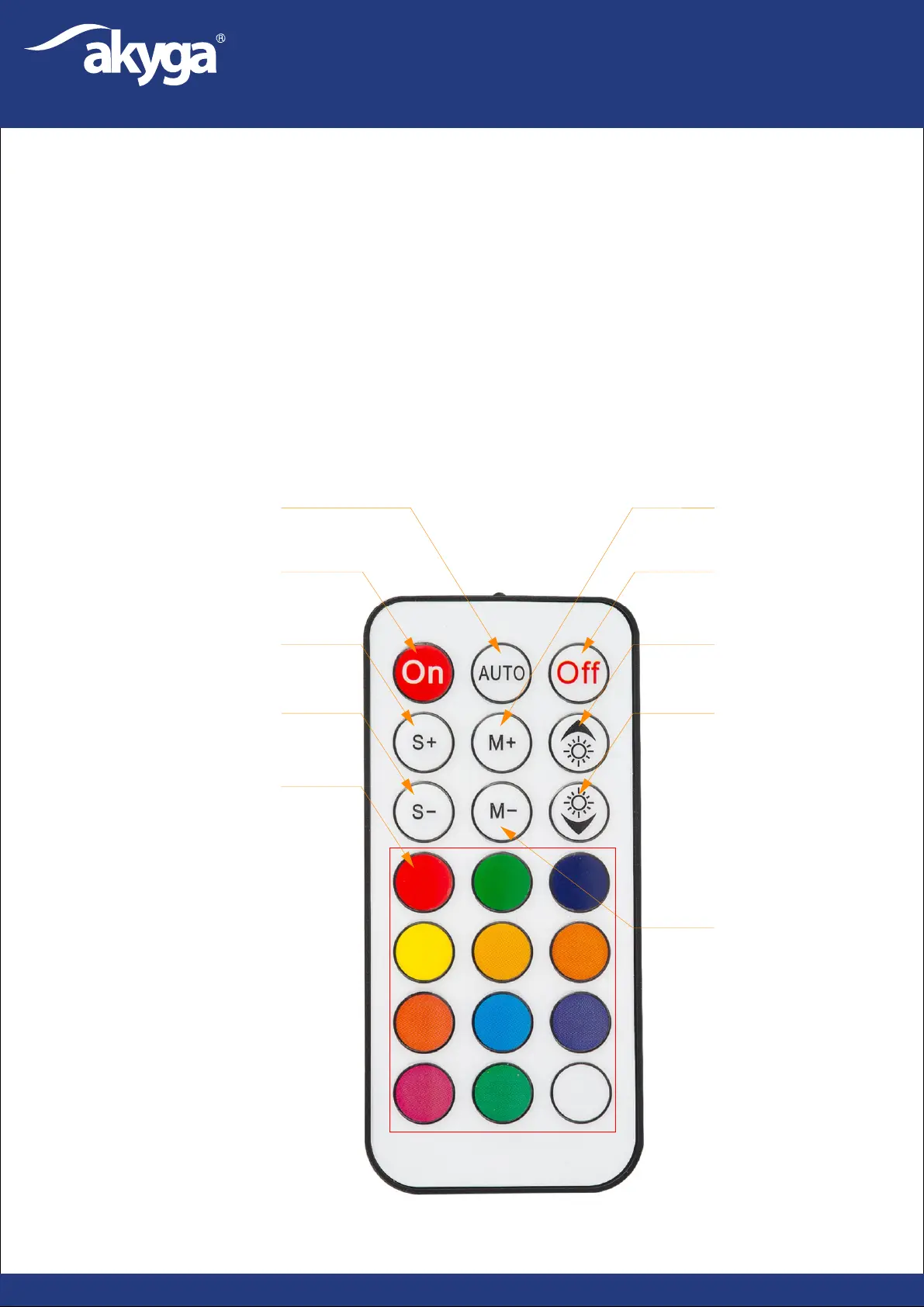
2. Off – Turn on the LED illumination.
1. On – Turn on the LED illumination.
3. Auto mode – Switch automatic illumination program.
5. S- – reduce the speed of the fans.
6. M+ – Select next illumination program.
10. Select LED backlight colour.
The controller has a built-in memory. When the power is switched on again, the previous illumination
will be displayed.
8. Increase LED brightness.
4. S+ – increase the speed of the fans.
7. M- – Go back to the previous illumination mode.
9. Reduce LED brightness.
3
1
2
4
5
6
8
9
7
10


 To Next Page