EasyManua.ls Logo

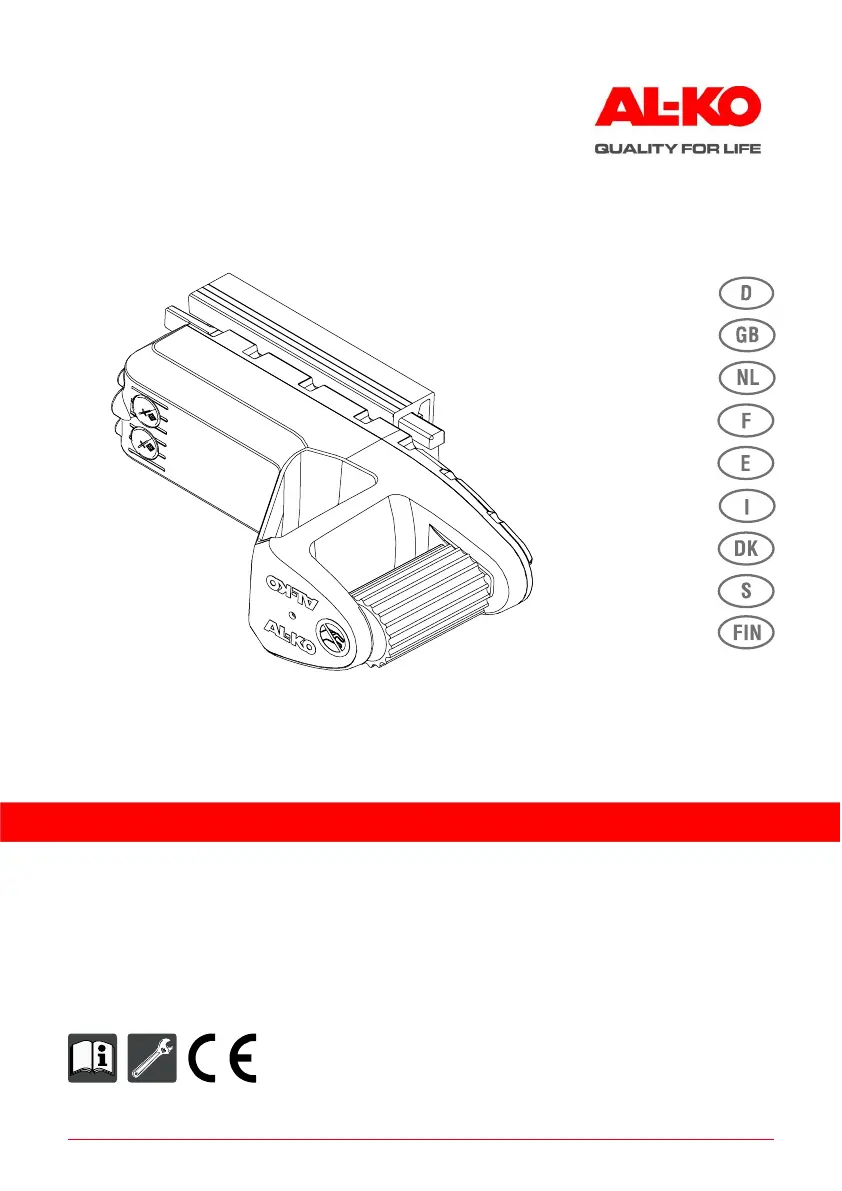
AL-KO MAMMUT - User Manual

AL-KO MAMMUT
136 pages
Go to English
Print Icon
To Next Page IconTo Next Page
Loading...
694 873_b I 10/ 2014
DECKBLATT FZT
AMS MAMMUT Einachs
Betriebsanleitung
Rangiersystem für Caravans

Table of Contents

Other manuals for AL-KO MAMMUT

Questions and Answers

  • J
    jessicawhiteAug 13, 2025
    What to do if the AL-KO Automobile Accessories remote control does not perform an LED test when switched on?
    • R
      Ronald BaileyAug 13, 2025
      If the AL-KO Automobile Accessories remote control doesn't perform an LED test, the batteries might be depleted. Try exchanging the batteries in the remote control. If that doesn't work, the remote control may be defective, in which case you should exchange it and calibrate the new one.
  • L
    Latoya WhiteheadAug 21, 2025
    What to do if AL-KO Automobile Accessories initial start-up procedure cannot be carried out?
    • T
      tamarafernandezAug 21, 2025
      If the initial start-up procedure for your AL-KO Automobile Accessories cannot be carried out, check the drive supply battery. It may be depleted, defective, or not connected. Charge, exchange, or connect the battery as needed. Also, check the fuse; it may be removed or defective. Ensure that one of the 3-contact connectors is unplugged, and check the battery and remote control, exchanging if necessary.
  • T
    Thomas GoodmanAug 25, 2025
    Why AL-KO Automobile Accessories LED “Remote control battery status” flashes?
    • W
      Wendy BradleyAug 26, 2025
      If the “Remote control battery status” LED on your AL-KO Automobile Accessories is flashing, it means the batteries are nearly depleted. Complete the manoeuvring operation and then change the batteries.
  • K
    kelly91Aug 28, 2025
    Why AL-KO Automobile Accessories LED “Drive supply battery status” flashes?
    • C
      christina29Aug 28, 2025
      If the “Drive supply battery status” LED is flashing on your AL-KO Automobile Accessories, it indicates that the battery is nearly depleted. You should complete the maneuvering operation and then charge the battery.
  • B
    Beverly GarrisonSep 1, 2025
    What to do if AL-KO Automobile Accessories system establishes radio contact, but the drives cannot be moved onto the wheels?
    • C
      Christopher CherrySep 1, 2025
      If the AL-KO Automobile Accessories system establishes radio contact but the drives can't be moved onto the wheels, check the connections of the supply cable. Ensure all connectors, including the 3-contact connectors, are plugged in.
  • L
    Laura LopezSep 5, 2025
    What to do if AL-KO Automobile Accessories function execution interrupted unexpectedly during engagement, manoeuvring or disengagement?
    • R
      Randy RomeroSep 5, 2025
      If the function execution is interrupted unexpectedly during engagement, maneuvering, or disengagement of your AL-KO Automobile Accessories, the radio connection may be poor or interrupted. Try reducing the distance to the drives and observe a minimum clearance of 0.5 m.
  • A
    amanda07Sep 8, 2025
    Why AL-KO Automobile Accessories system does not establish radio contact?
    • E
      Emily JamesSep 9, 2025
      If the AL-KO Automobile Accessories system does not establish radio contact, and the operating state LED on the remote control does not remain green after attempting engagement, it may be because no initial start-up was carried out. Repeat the initial start-up procedure.
  • B
    brucebaileyNov 16, 2025
    What to do if AL-KO Automobile Accessories disengagement of the drives does not work?
    • C
      Christopher JohnsonNov 16, 2025
      If the disengagement of the AL-KO Automobile Accessories drives doesn't work, it could be due to several reasons. While holding down the disengage buttons, hold the remote control against the enabling switch to disengage the drives. Repeat once if needed or disengage drives manually. Alternatively, repeat the initial start-up, or if the remote control is in the incorrect operating mode and the 'maximum climbing power' LED lights up, press buttons 4 and 7 simultaneously to turn the LED off. Recalibrate the joystick by briefly pressing buttons 4 and 5 or 6 and 7, depending on the installation position, without touching the joystick during the procedure. Check and correct the tyre pressure on the caravan, move the caravan to flatter ground, check for obstacles blocking the wheels, clean dirt ...

Summary

Product Details and Technical Data

Possible Misuse and Warnings

Warns against incorrect or unsafe uses of the AL-KO Mammut system.

Operating the AL-KO AMS MAMMUT System

Drive Engagement and Positioning

Instructions for engaging the drive units and positioning them on the wheels.

Safe Operation and Installation Notes

Critical Installation Safety Warnings

Emphasizes safety and warning information for the installation process.

Safety Precautions and Initial System Setup

System and Remote Control Safety

Covers safety for the system, remote control, and general operation.

System Calibration and Operation Modes

Remote Control Calibration Process

Process to link and calibrate the remote control with the drive system.

Caravan Manoeuvring Techniques

Joystick Control and Safe Manoeuvring

Explains joystick functions, safe manoeuvring practices, and turning clearances.

Advanced Safety and Hitching Procedures

Troubleshooting Common System Faults

Advanced Troubleshooting Scenarios

Manual Retraction and Fault Indicators

Manual Drive Retraction Steps

Detailed procedure for manually retracting the drive units in case of system failure.

AL-KO MAMMUT Specifications

General IconGeneral
TypeRobotic lawn mower
Suitable for lawn areas up to1000 m²
Cutting width22 cm
App controlYes
Rain sensorYes
Grass CollectionMulching
Charging time60 min

Related product manuals