Need help?
Do you have a question about the Alarm.Com ADC-480Q and is the answer not in the manual?
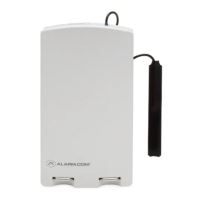
The Alarm.com ADC-480Q Module is a device designed to enable wireless reporting of alarms and other system events from compatible control panels using the LTE cellular network. It can serve as the primary communication path for alarm signaling or as a backup to a telephone line connection for central monitoring. The module also integrates support for Alarm.com's emPower™ solution, which includes built-in Z-Wave capabilities.
The ADC-480Q Module is intended for professional installation. The installation process involves inserting the module into a compatible alarm panel, attaching the antenna, and performing an LTE phone test at the panel. Installers are responsible for ensuring that host devices are tested and compliant with applicable FCC and ISED rule parts, including required host labeling.
The module uses Quectel BG95-M6 or Quectel EG91-NAX. Recommended antennas are PIFA (planar inverted-F) dipole type with 50 ohm impedance and VSWR less than or equal to 2. The cellular antenna(s) should be positioned at a minimum of 20cm from the user and any other antenna elements or transmitters. Maximum peak gains for cellular antennas vary by frequency:
The Z-Wave antennas on the device are not detachable, and power settings are not adjustable by the end user.
The module features several LEDs (L1, L2, L3, L4, L5) that indicate network and module status, as well as specific errors.
Flashes 1 to 8 times in an 8-second interval to indicate specific errors. If multiple errors occur, they flash sequentially with a 4-second pause between errors.
Flashes with every communication between the module and the panel. In Idle Mode, it flashes quickly every two seconds; in PowerSave Mode, every four seconds. It also flashes in patterns to indicate Z-Wave status.
Flashes with every communication between the module and its radio unit in Idle Mode, and with every communication with Alarm.com in Connected Mode. In PowerSave Mode, this LED flashes in unison with L2.
Flashes 0 to 5 times to indicate signal strength (0-5 bars). The number of bars may not correspond to cell phone displays. 5 bars indicate the strongest signal. Signal level updates every 10 seconds if fluctuating, or every 30 seconds if stable. If L4 is not flashing, it indicates:
Indicates Z-Wave errors.
The module operates in three main states:
 General
| Brand | Alarm.Com |
|---|---|
| Model | ADC-480Q |
| Category | Control Unit |
| Language | English |

 To Next Page