11
WiFi connection
WARNING: Make sure that you are in a WiFi zone. You can access
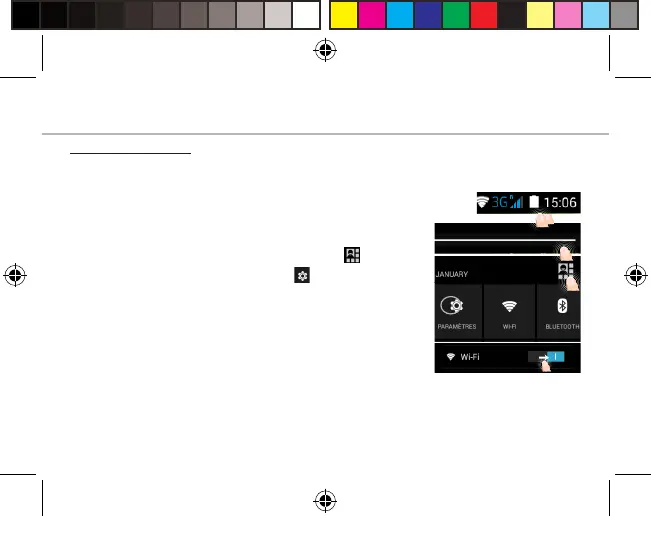
the WiFi settings quickly from the status bar.
1. Touch and hold the time & battery icons to
reveal the status bar.
2. Pull the blue line down to display the status
dashboard.
3. Touch the status dashboard icon .
4. Touch the “Settings” icon to open the
settings menu.
5. In the “Wireless & networks”section, if the
WiFi is o, slide the WiFi switch to the “ON”
position. Once the WiFi is on, the Alba will scan
for WiFi networks in range.
6. Touch “WiFi” to display available networks.
7. Touch the name of network you want to
connect to.
Private networks are shown with a lock icon and
will require you to enter your password.
Alba_4_Android_book.indd 11 12/05/2015 17:56:39



 To Next Page