10
3G connection
With your SIM card, you should be connected to the Internet without
any further setup. The Alba will only have signal if you are in an area
covered by your provider’s 3G network. When connected to the 3G
3G & WiFi connection
network, the 3G icon is displayed in the status bar.
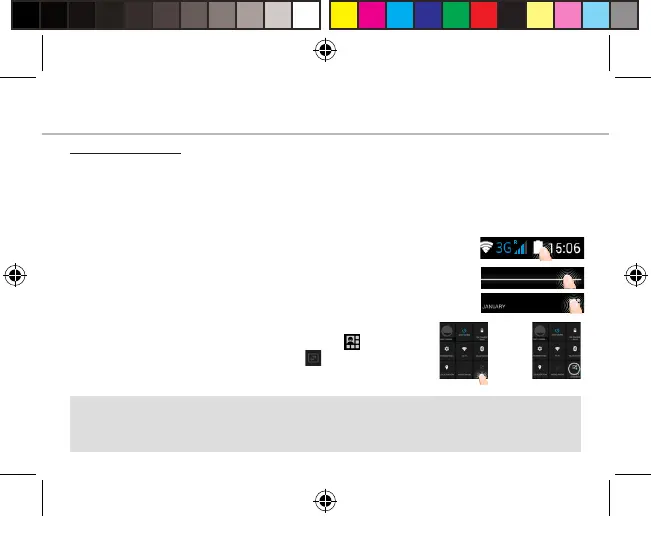
Activating the mobile data
To be able to access Internet, the mobile data icon
must be activated.
1. Touch and hold the time & battery icons to reveal
the status bar.
2. Pull the white line down to display the
status dashboard.
3. Touch the status dashboard icon .
4. Touch the mobile data icon to activate
it.
Tip:
If you encounter connection problem’s, see the FAQs on
www.argos.co.uk. or contact your 3G network connection provider.
Alba_4_Android_book.indd 10 12/05/2015 17:56:39



 To Next Page