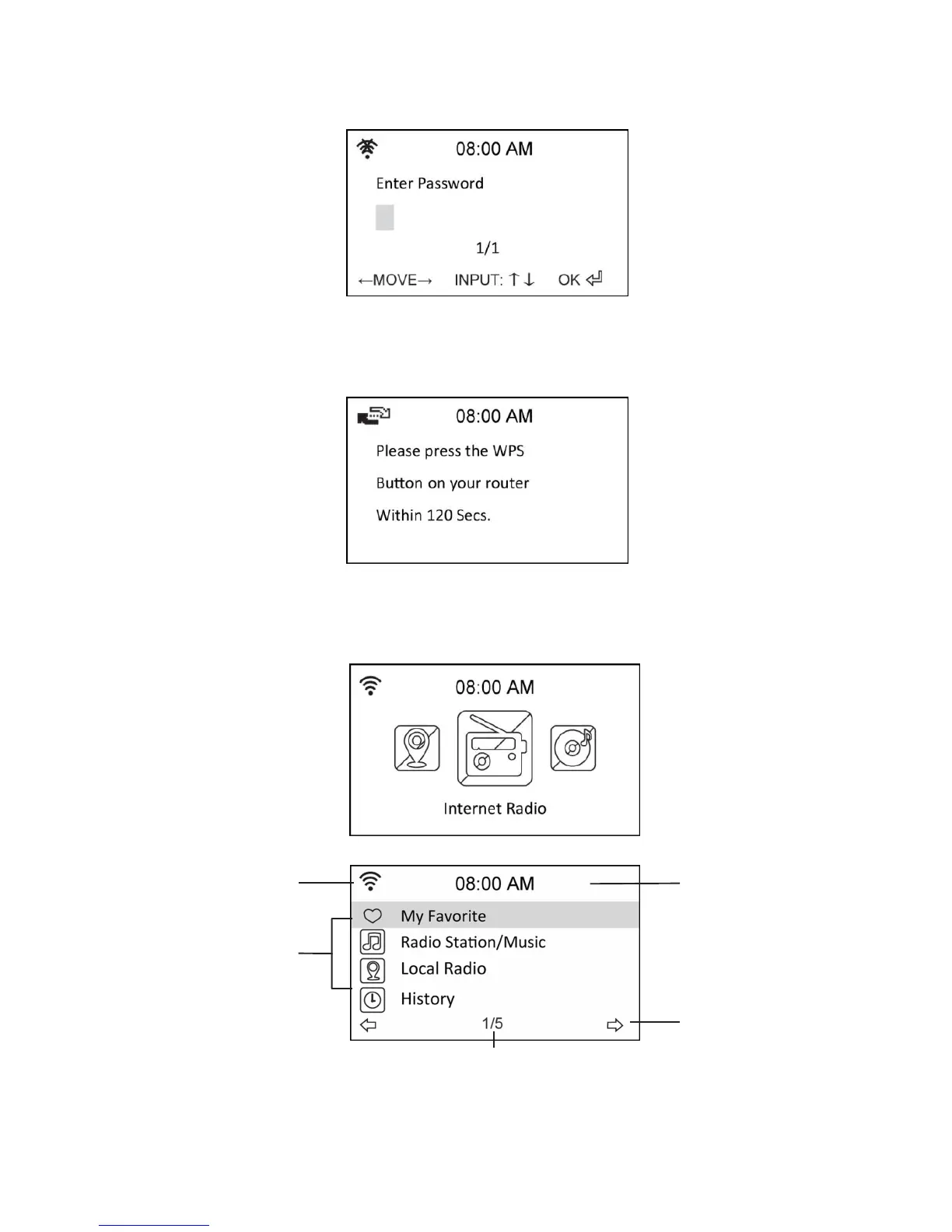
If Yes was chosen first, find your network on the list shown on the screen and press ok.
Enter your password if your wi-fi connection is encrypted.
If your router supports WPS and Yes (WPS) was chosen simply press the WPS
button on your router within 120 seconds.
Congratulations you have now connected your radio to your network! The network status
icon should have changed according to the picture below.
Network status Time
Menu options
Press the right
navigation button to
open the selected
menu
The menu contains five options and
the first one is selected.


 To Next Page