8.3
Establishing a wireless connection
NOTE! This is only needed if a connection has not already been established on the
first power on or the DR 460 C needs to connect to a different network.
1. Set up your access point (AP) to receive/broadcast a wireless signal.
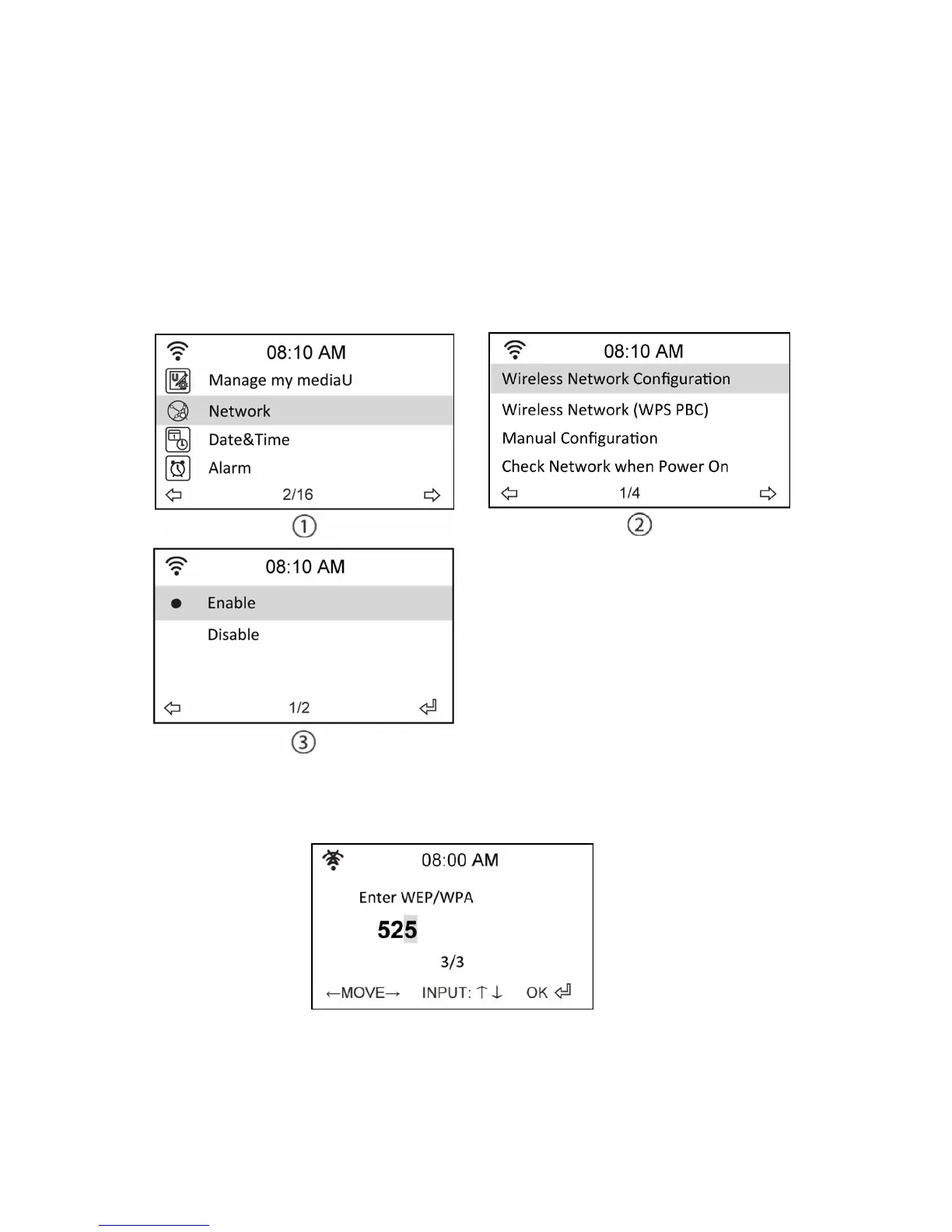
2. From the main menu, select Configure > Network > WiFi Configure. The names of the
receivable access points are listed. If you highlight a protected network, a key icon will
show in front of the SSID of the wireless network.
3. Select a network you have access to. If the network is not secured, press the enter
button to make a connection. If it is secured, you will be asked to enter the
passphrase.
4. Input the appropriate passphrase and press Enter to make a connection. Refer to the
“8.2 Text entry” section for details about inputting text.
5. The following icons will appear at the upper left corner of the display to indicate
network status:


 To Next Page