13
8.4 Internet radio portal registration
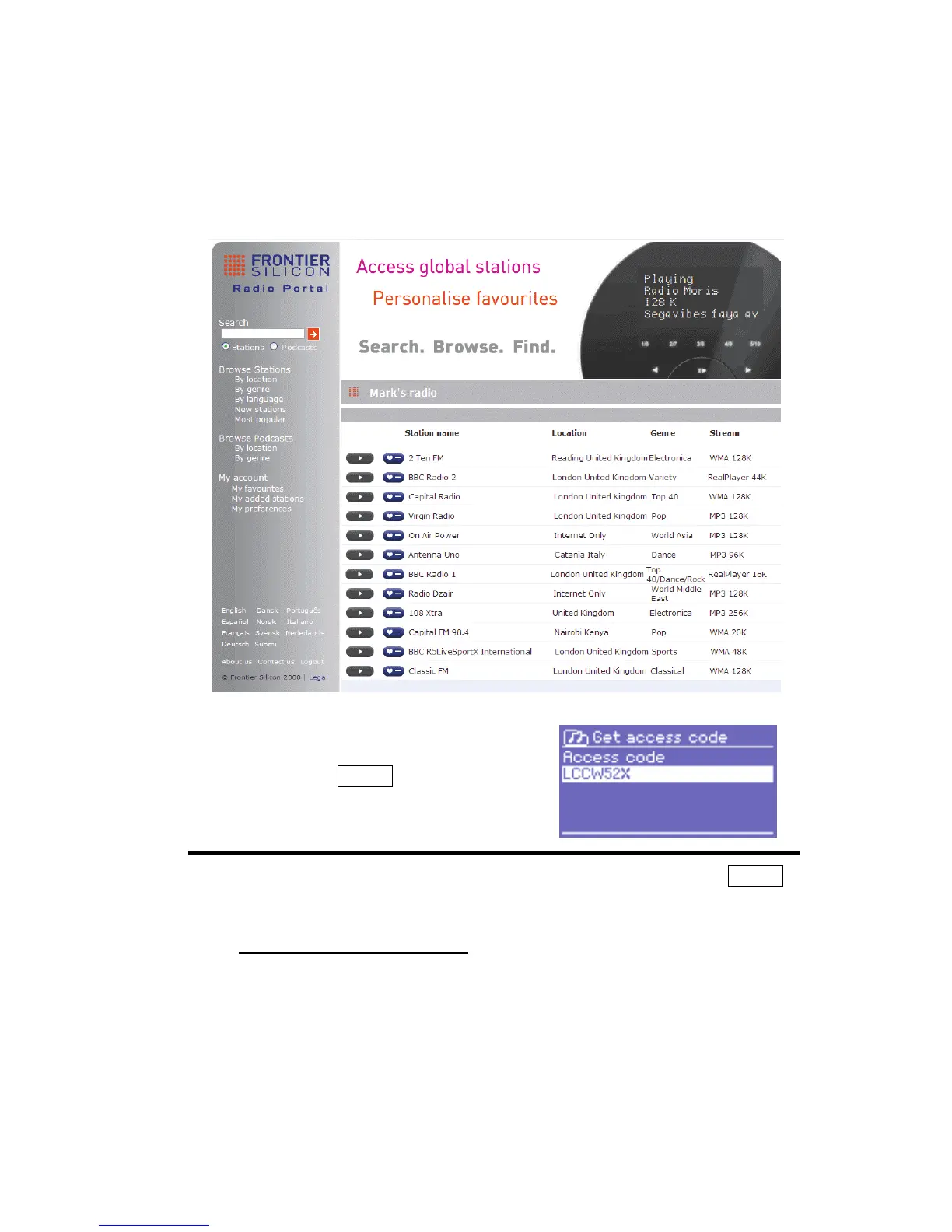
DR 460 operates with The Frontier Silicon Internet radio portal website
which allows you to organise your favourites lists and also listen to Internet
radio on a computer.
To register your DR 460 with the portal,
first get your radio’s unique portal access
code by selecting Menu > Station list >
Help > Get access code >.
Write down the access code.
Note:
Do not confuse the portal access code with the Radio ID (from Menu >
System settings > Info
.)
On an internet-connected computer, access the portal website at
www.wifiradio-frontier.com
If this is your first visit to the portal, register for a new account, entering
the following information:
o access code,
o your e-mail address,
o password,
o radio model (DR 460).



 To Next Page