20
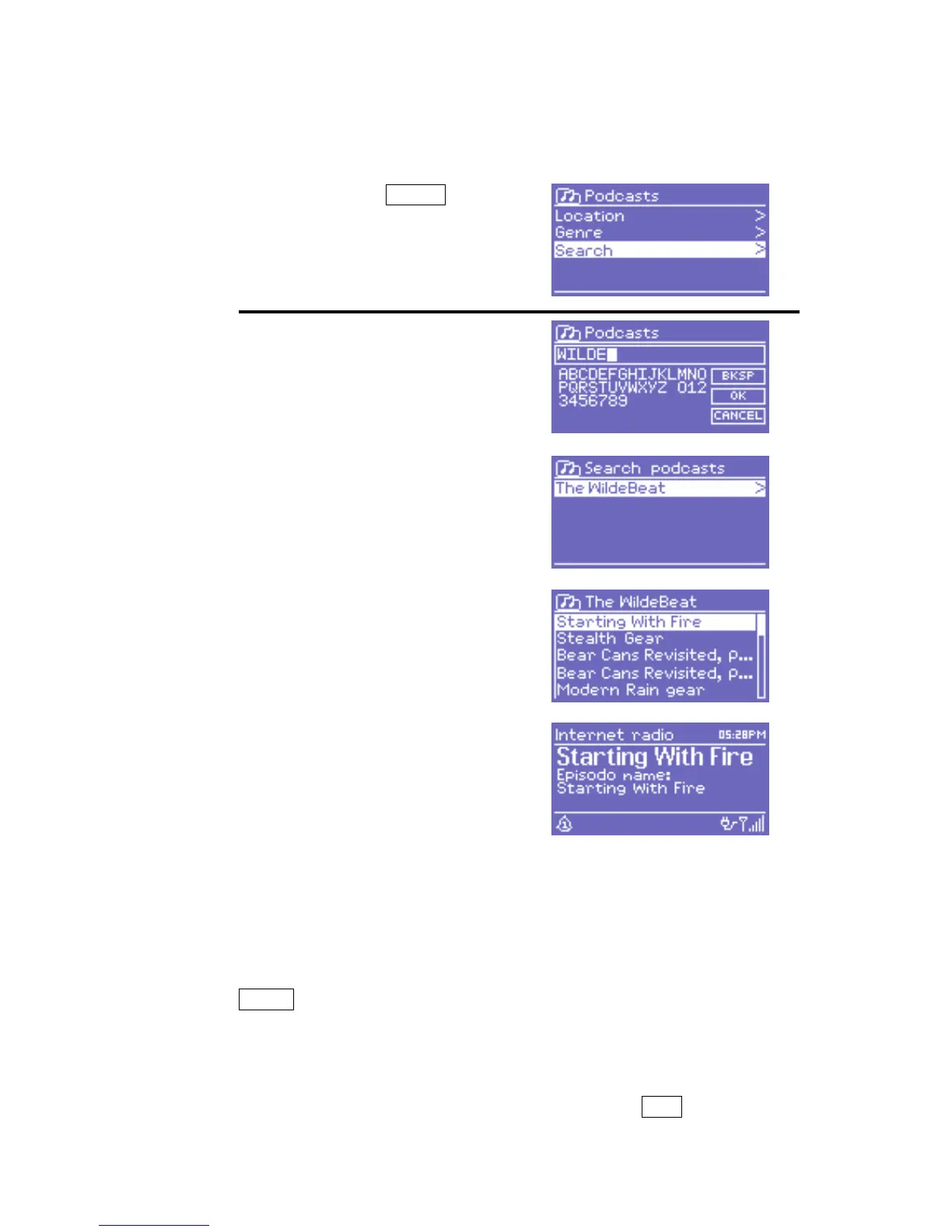
9.5 Search
You can also search through Internet broadcasts for stations or podcasts
with particular keywords in their title.
To search, select Menu >
Station list > then either
Stations > or Podcasts >
Enter a keyword by selecting
characters then OK. The search
entry screens are similar in
operation to the Wi-Fi password
entry screen.
Select a broadcast from the list.
For podcasts, you may be able to
select a particular episode.
9.6 My added stations
Even though the Internet radio portal contains thousands of stations, you
may want to listen to stations not listed. You can add your own stations
via
the portal. These added stations are accesible from DR 460 by selecting
Menu > Station list > My added stations > [Station].
9.7 Now playing information
While the stream is playing, the screen shows its name and description.
To view further information about the stream, press Info .



 To Next Page