- 25 -
12. Troubleshooting – connecting to an internet station
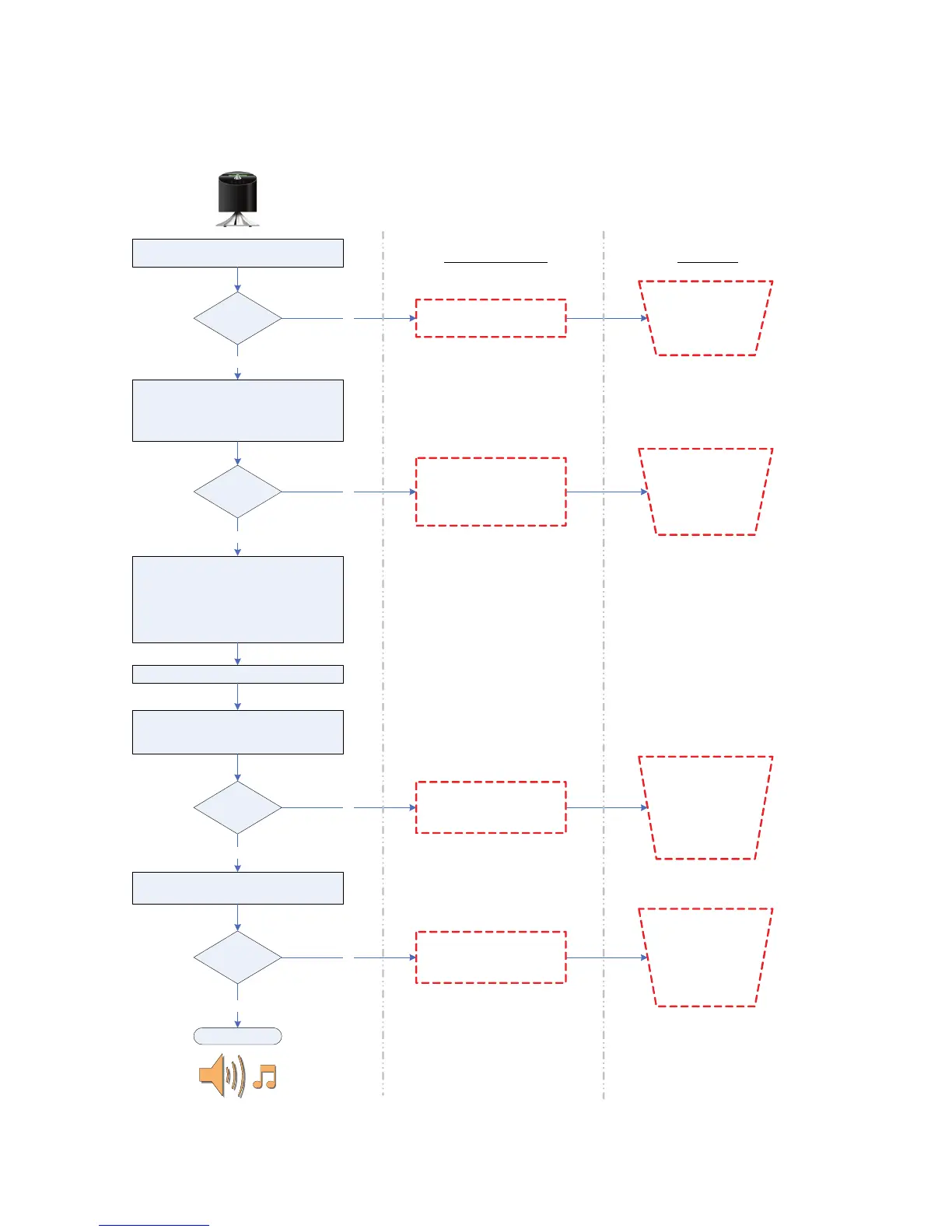
Radio attempts to connect to the wifi network
[Connecting… ]
Connected?
Radio attempts to connect to internet portal to
get internet radio listings
[Please Wait ]
[Loading… ]
Connected?
Show Internet radio top-level menu
-------------------
My Favourites
Stations
Podcast
My Added Stations
-------------------
User selects a station to be played
Radio attempts to connect to the internet radio
station
[Connecting… ]
Connected?
yes
yes
Failed to connect
1. Wifi router might be down
2. Wrong network key entered
no
Check if PC is able
to connect to the wifi
network and the
network key (if in
use) is correct
Network error
1. Broadband internet
connection might be down.
2. Internet portal (fs.vtuner.com)
might be down
Check if PC is able
to access the
internet radio portal
(http://wifiradio-
frontier.com) when
connected to the
same wifi network
no
Radio attempts to play the radio stream
[Loading… ]
yes
Successful ?
Network error
1. Selected internet radio station
might be down
Go to the internet
radio portal (http://
fs.vtuner.com) and
try to play the station
from the PC to see if
problem is due to the
station or your
network
[Playing ]
yes
no
Format error
1. Radio does not support the
format used by the internet radio
station
Go to the internet
radio portal (http://
wifiradio-
frontier.com) and try
to play the station
from the PC to see if
problem is due to the
station or the radio
no
Possible Cause Checklist


 To Next Page
 Loading...