English
3 Before Use
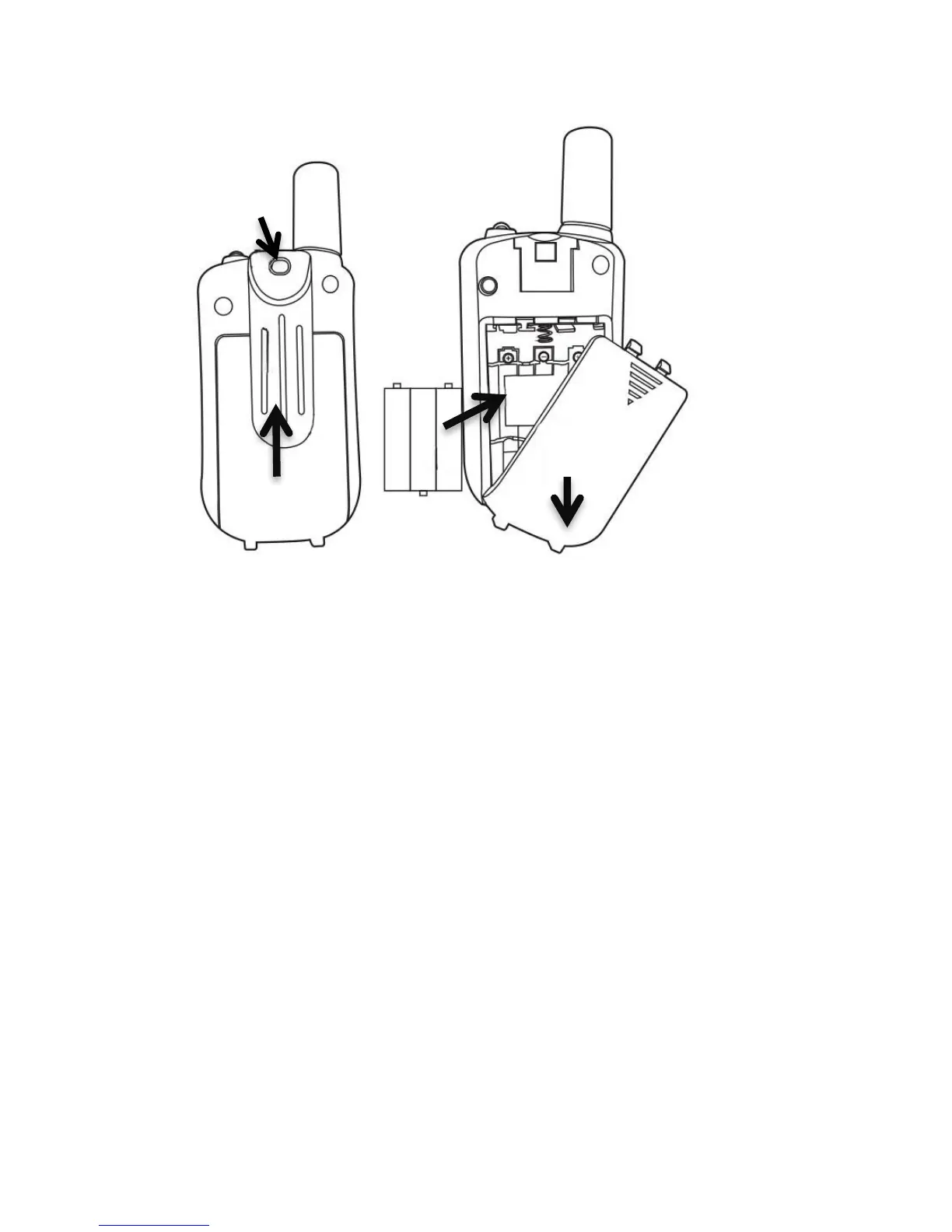
To insert batteries into the devices, first remove the belt
attachment: While pulling the belt clip latch (15) away from the
unit, push up on the belt clip (16) to remove it from the device.
Open the battery compartment (17) and insert 3 AAA batteries
(18) (not supplied), ensuring that the poles are correctly
aligned. Then close the lid. The arrows indicate in which
direction the parts need to be moved.
4 Using the Tectalk Easy 2
4.1 Turning the Device On/Off
To turn the devices on or off, hold down the Power-button for 3
seconds a BEEP sound will be played to confirm.



 To Next Page