3
Telephone
/
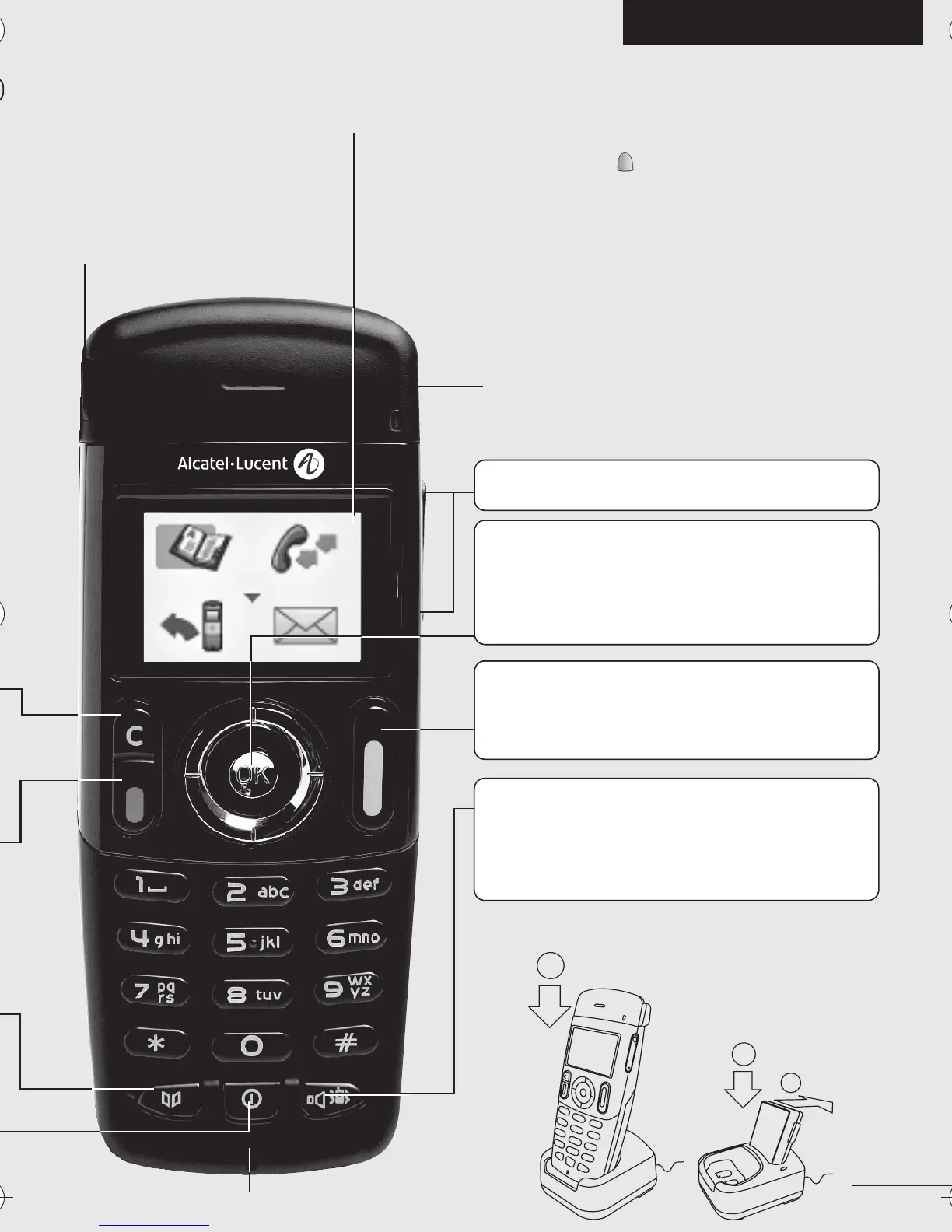
Microphone
English (US)
Light
•Green steady: handset charging
• Green fast flashing: outside the radio field
• Red slow flashing: message present
Adjust audio volume
Access MENU
Confirm
Display next selection of a list (up, down,
left, right)
Headset jack (400 DECT)
Back-lit screen (in colour for the 400 DECT)
The screen switches off automatically after a few seconds of inactivity.
To turn it back on, press the key
C
1
2
1
OK
Lift the receiver
Redial (long press)
Broker call (during consultation call)
Activate/deactivate loudspeaker
(400 DECT)
Activate/Deactivate the vibrating
ringer (long press)
3BN60370USAAed01.fm Page 3 Jeudi, 14. juin 2007 4:38 16


 To Next Page