11 12
Message full.
Call divert.
Music activated.
In 1066D:
Level of network reception.
Call divert.
GPRS connection status .
Roaming.
2
Getting started
2.1 Set up
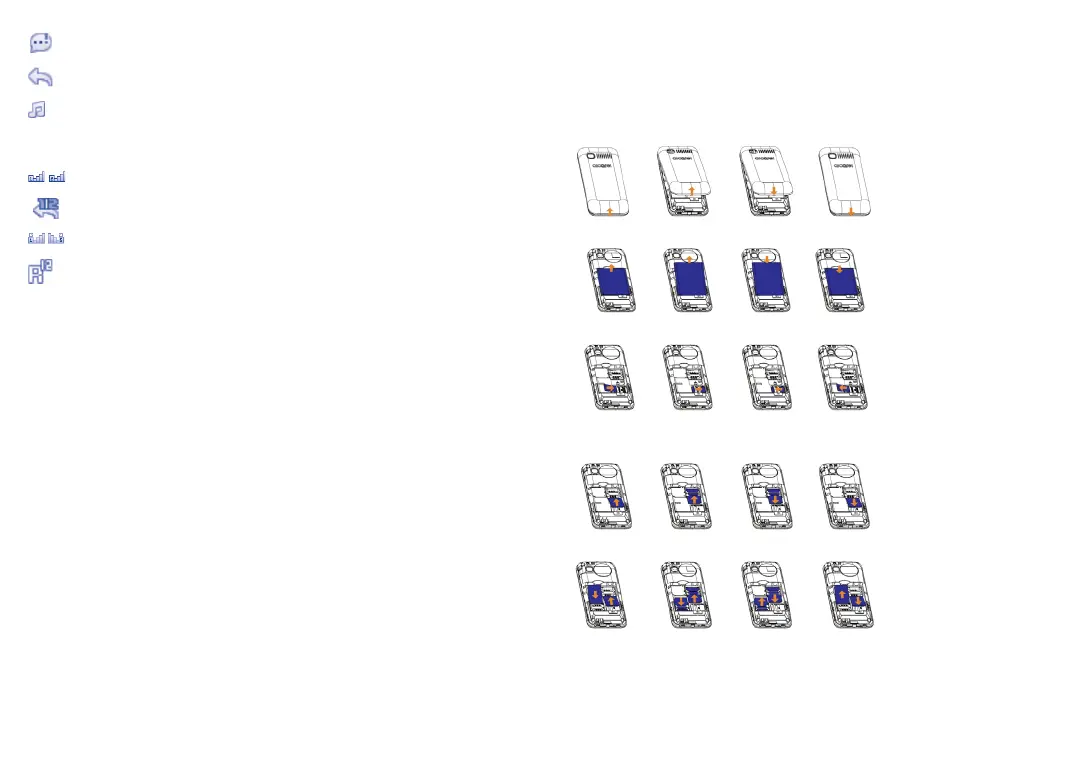
Removing and installing the back cover
Removing and installing the battery
Inserting and removing TF card
Inserting and removing the SIM card
1066G
1066D
Place the SIM card with the chip facing downwards and slide it into
its housing. Make sure that it is correctly inserted. To remove the card,
press it and slide it out.



 To Next Page