EasyManua.ls Logo

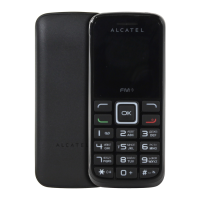
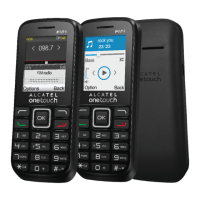
Alcatel 1068 - User Manual

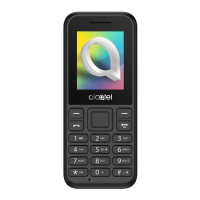
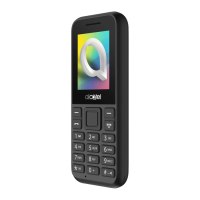
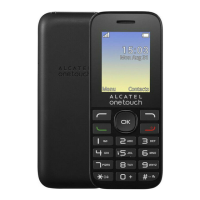
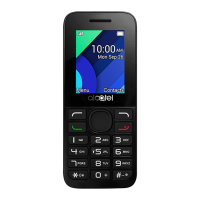
Alcatel 1068
28 pages
Print Icon
To Next Page IconTo Next Page
Loading...
For more information on how to use the phone, please go to
www.alcatelmobile.com and download the complete user manual.
Moreover, on the website, you can also find answers to frequently
asked questions and so much more.

Questions and Answers

  • K
    Kristen WalkerAug 25, 2025
    What to do if my Alcatel Cell Phone can't charge properly?
    • M
      Miss Wendy DavisAug 26, 2025
      If your Alcatel Cell Phone is not charging properly, ensure you are using an Alcatel battery and the charger that came in the box. Also, verify that the battery is correctly inserted and clean the battery contacts if they are dirty. The battery must be inserted before you plug in the charger. Make sure your battery is not completely discharged and that you are charging under normal conditions (0°C to +40°C). If you are abroad, check that the voltage input is compatible.
  • S
    Shannon PorterAug 25, 2025
    What to do if my Alcatel Cell Phone can't be switched on or is frozen?
    • I
      Isabel ThompsonAug 25, 2025
      If your Alcatel Cell Phone won't switch on or is frozen, check the battery contacts, remove and reinstall the battery, and then try turning the phone on. Also, check the battery power level and charge it for at least 20 minutes.

Summary

Safety and Use

Protect Your Hearing

Advice to prevent hearing damage from loud volume and prolonged use of loudspeaker.

Traffic Safety

Guidance on using the phone safely while driving and potential interference with vehicle electronics.

Conditions of Use

Recommendations for optimal performance and safety during phone usage in various environments.

Privacy

Notes on respecting laws regarding photography, sound recording, and personal data usage.

Battery

Precautions for handling, disposing, and using the phone's battery safely.

Radio Waves

Your Mobile

Keys and Connectors

Identifies and describes the physical buttons, ports, and connectors on the phone.

Getting Started

Initial setup steps for the phone, including SIM card insertion and charging.

Call Logs

Making a Call

Guides on how to dial numbers, select contacts, and initiate calls.

Answer or Decline a Call

Instructions on how to accept or reject incoming calls and manage call status.

Accessing Voicemail

Steps to access and set up the voicemail service on your phone.

Messaging

Settings

Phone Settings

Access to various phone configurations like display, time, date, and keypad lock.

Call Settings

Options for managing call waiting, call divert, call barring, and answer modes.

Warranty

Troubleshooting

Specifications

Alcatel 1068 Specifications

General IconGeneral
Network TechnologyGSM
GPRSYes
Display typeTFT, 65K colors
PhonebookYes
Call recordsYes
CameraNo
Sound LoudspeakerYes
RadioFM radio
USBmicroUSB 2.0
2G bandsGSM 900 / 1800
SIMDual SIM (Mini-SIM)
Display size1.8 inches
Resolution128 x 160 pixels (~114 ppi density)
ColorsBlack, White

Videos

How to Set Auto Keypad Lock on ALCATEL 1068

How to Set Date & Time on ALCATEL 1068

How to Change System Language on ALCATEL 1068

How to Change Wallpaper on ALCATEL 1068

How to Change Device Name on ALCATEL 1068

How to Check IMEI on ALCATEL 1068

Related product manuals