53 54
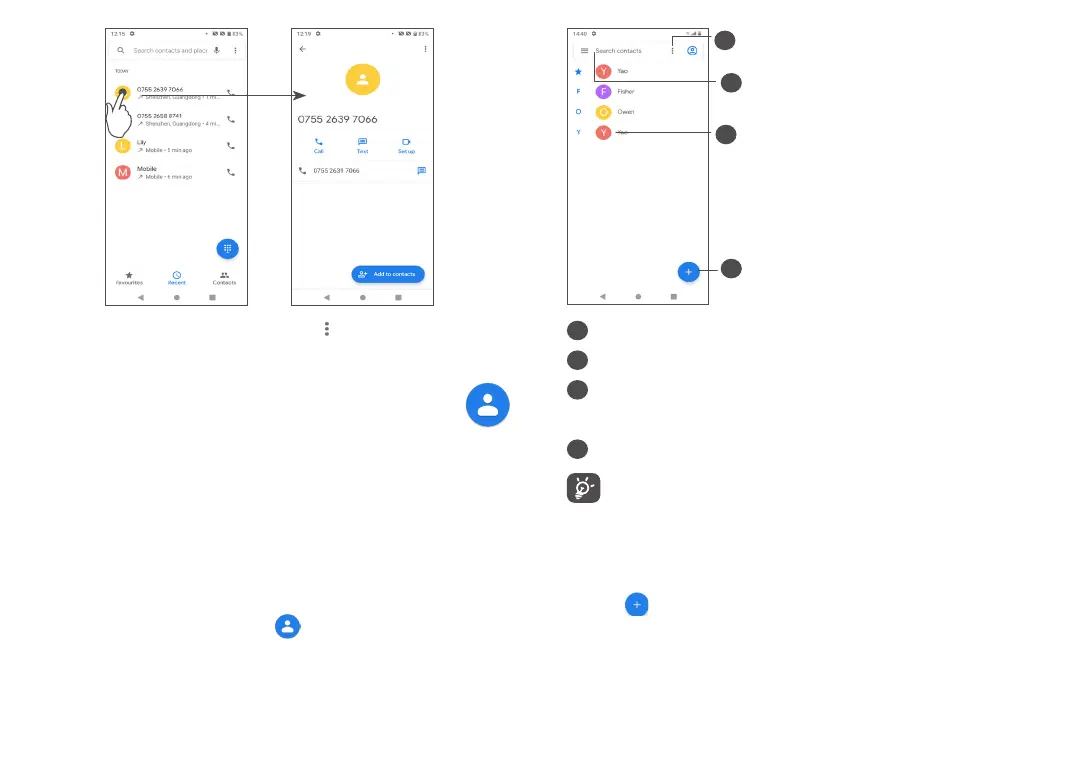
Touch the contacts, and touch to Block numbers,
Help & feedback.
3.3 Contacts ............................................
Contacts enables quick and easy access to the people
you want to reach.
You can view and create contacts on your phone and
synchronise them with your Gmail contacts or other
applications.
3.3.1 Consult your Contacts
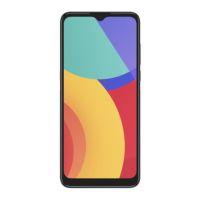
To see your contacts, touch from the App drawer.
1
2
3
4
1
Touch to select the contact
2
Touch to search contacts
3
Open the Quick contact panel
Long press to select a contact to delete or to share.
4
Add new contact
Deleted contacts will also be removed from other
applications on the phone or web the next time
you synchronise your phone.
3.3.2 Adding a contact
Touch in the contact list to create a new contact.
You are required to enter the contact's name and other
contact information. By scrolling up and down the
screen, you can move from one field to another.



 To Next Page