3
SIM Card
The SIM (Subscriber Identity Module) card identifies
your device to the wireless network. A SIM card or
Wi-Fi connection is required to browse the Internet.
You don't need to power off your device before
inserting or removing the SIM card.
Note: Your device only supports MicroSIM cards. To avoid
damage to your device, do not attempt to insert other SIM
types, such as Standard and Nano SIM cards.
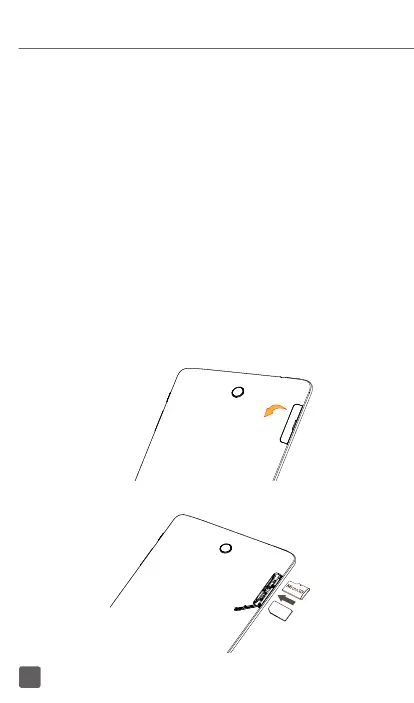
Insert/Remove the MicroSIM and MicroSD
Cards
1. Open the slot.
2. Insert/Remove the MicroSIM card and MicroSD
card.
SIM














 To Next Page