8 9
• Slide the
icon upwards to reject the call
by sending a preset message.
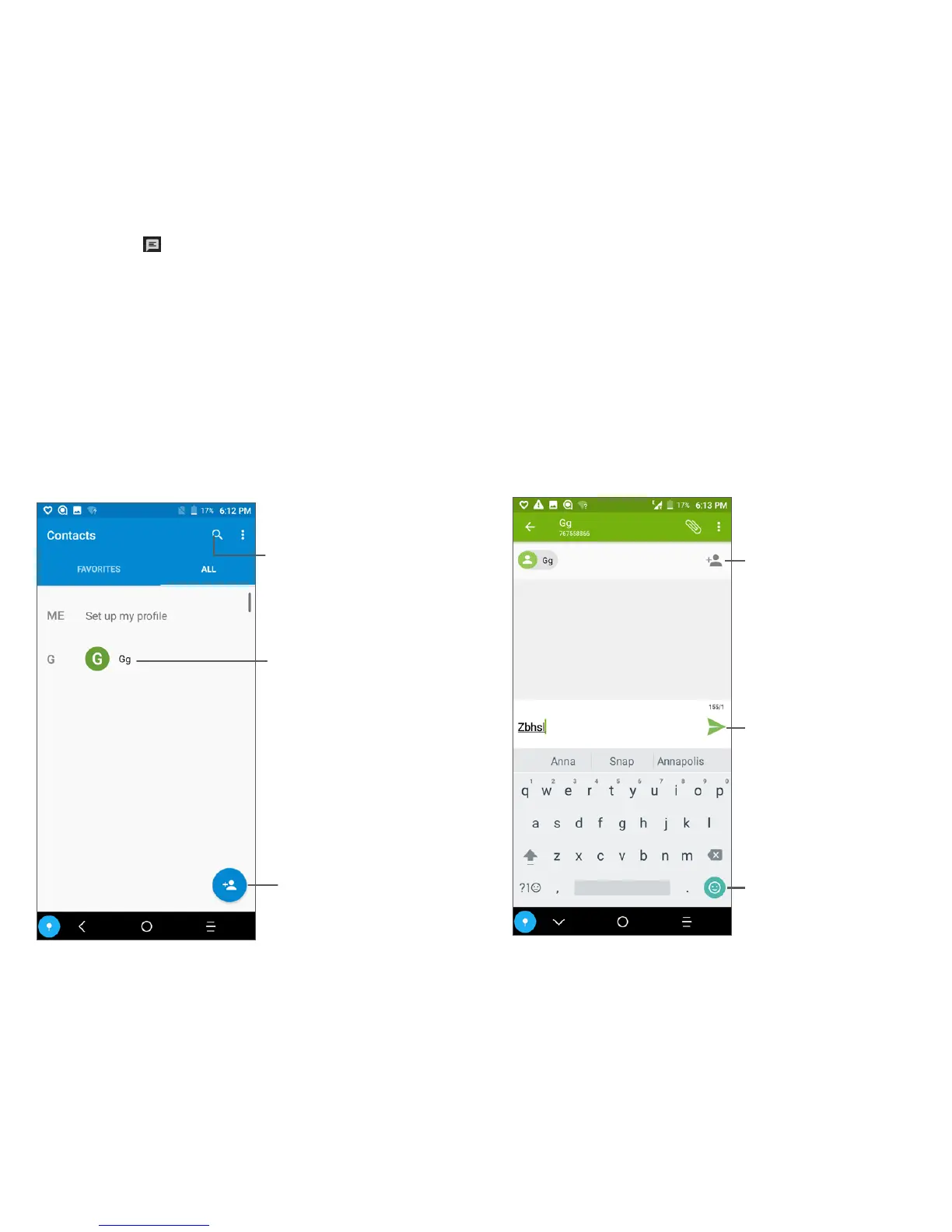
Contacts
You can view and create contacts on your
phone and synchronize these with your Gmail
contacts or other applications on the web or
on your phone.
Search in Contacts
Open the Quick
contact panel
Long press to select
contact(s) to delete
Add new contact
Messaging
You can create, edit, and receive SMS and
MMS.
An SMS will be converted to MMS
automatically when media files (image, video,
audio, slides, etc.) are attached or subject or
email addresses are added.
Send the text message
Insert emoticons
Add recipients



 To Next Page