EasyManua.ls Logo

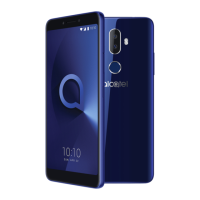
Alcatel 3C - User Manual

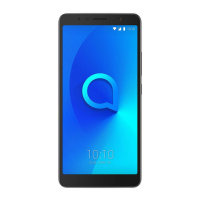
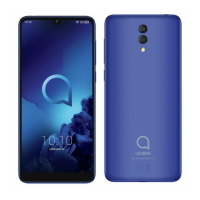
Alcatel 3C
57 pages
Print Icon
To Next Page IconTo Next Page
Loading...

Questions and Answers

  • D
    Debra GutierrezSep 10, 2025
    Why can't I use certain features on my Alcatel Cell Phone?
    • C
      Colin FieldsSep 10, 2025
      If you can't use the features described in the manual for your Alcatel Cell Phone: * Check with your operator to ensure your subscription includes the service. * Make sure the feature doesn't require an Alcatel accessory.
  • N
    Nathaniel KellyAug 22, 2025
    Why does my Alcatel 3C keep turning off?
    • S
      Suzanne CarterAug 22, 2025
      If your Alcatel Cell Phone is turning off by itself, consider these steps: * Ensure the screen locks when not in use and the Power key isn't accidentally pressed. * Check the battery charge level. * Reset or update the phone's software. * Use the Alcatel charger that came with the phone. * Make sure the battery is properly inserted and clean the battery contacts if needed. * If the battery has been empty for a long time, charge it for about 20 minutes to see the charging indicator. * Charge under normal conditions (0°C (32°F) to 40°C (104°F)). * Verify the voltage input is compatible.
  • C
    Christina DixonAug 25, 2025
    What to do if my Alcatel 3C is not responding?
    • K
      Kenneth DickersonAug 25, 2025
      If your Alcatel Cell Phone has not responded for several minutes, try these steps: * Turn off your phone by pressing and holding the Power key until it turns off, then restart it. * Remove and reinsert the battery, then restart the phone. * Reset the phone.
  • R
    ricerodneyAug 26, 2025
    Why my Alcatel 3C Cell Phone can't connect to network?
    • J
      Joshua GuerraAug 26, 2025
      If your Alcatel Cell Phone can't connect to a network or displays "No service", try the following: * Move to another location to connect to the network. * Verify network coverage with your operator. * Check with your operator to ensure your SIM card is valid and that internet access service is available. * Try connecting later if the network is overloaded. * Check your phone's internet connection settings. * Ensure you are in a place with network coverage.
  • J
    josephhaynesAug 27, 2025
    How to extend battery life on Alcatel 3C?
    • T
      Traci PenaAug 27, 2025
      If the battery on your Alcatel Cell Phone drains too fast, consider the following: * Ensure you follow the complete charge time (minimum 150 minutes). * After a partial charge, wait at least 20 minutes after removing the charger for an accurate battery level indication. * Adjust the screen brightness. * Extend the email auto-check interval. * Update news and weather information manually or increase their auto-check interval. * Exit background-running applications when not in use. * Turn off Bluetooth, Wi-Fi, or GPS when not in use.
  • G
    garciakyleAug 29, 2025
    Why can't my Alcatel 3C make calls?
    • T
      Tracy WrightAug 29, 2025
      If your Alcatel Cell Phone can't make outgoing calls, please check the following: * Ensure you've dialed a valid number and touched Call. * For international calls, verify the country and area codes. * Make sure your phone is connected to a network that isn't overloaded or unavailable. * Check your subscription status with your operator (credit, SIM card validity). * Ensure you haven't barred outgoing calls or forwarded incoming calls. * Confirm your phone isn't in airplane mode.
  • A
    Amber RuizSep 18, 2025
    Why can't I access my Alcatel 3C Cell Phone voicemail?
    • T
      Tracy HudsonSep 18, 2025
      If you can't access your voicemail on your Alcatel Cell Phone: * Make sure that your operator’s voicemail number is correctly entered in "Voicemail number". * Try later if the network is busy.
  • M
    miranda63Sep 12, 2025
    I forgot my Alcatel 3C password, what can I do?
    • J
      Jeffery MitchellSep 12, 2025
      If you forget some passwords/codes/keys on your Alcatel Cell Phone: * Perform a factory data reset. * If you still cannot access your phone, apply to the authorised repair centre, but remember that it will not be regarded as a warranty case.
  • A
    Amanda MccannSep 8, 2025
    Why is my Alcatel 3C Cell Phone not ringing?
    • D
      Donna HarrellSep 8, 2025
      If your Alcatel Cell Phone doesn't ring when a call or message arrives: * Make sure that Do Not Disturb mode is not turned on by going to Settings > Sound > Do Not Disturb preference. * Press the Volume key to adjust the volume.
  • J
    Jason KennedySep 5, 2025
    Why doesn't caller ID show on my Alcatel Cell Phone?
    • V
      Veronica RamirezSep 5, 2025
      If the caller’s name/number doesn't appear when a call is received on your Alcatel Cell Phone: * Check that you have subscribed to this service with your operator. * The caller may have concealed their name or number.

Summary

Safety and use

Radio waves

Licenses

General information

Protection against theft

Information regarding protecting your phone against theft, including IMEI usage.

Disclaimer

Statement about potential differences between manual and phone operation.

Your mobile

Keys and connectors

Identifies physical buttons, ports, and other key components of the phone.

Getting started

Instructions for initial setup, including SIM card insertion and charging.

Home screen

Overview of the main screen layout, icons, and navigation.

Text input

Using the onscreen keyboard

Guide to using the virtual keyboard, including settings and orientation.

Text editing

Methods for editing entered text, including cut, copy, and paste.

Call, Call log and Contacts

Call

Procedures for making, receiving, and managing phone calls.

Call log

Accessing and viewing records of missed, outgoing, and incoming calls.

Contacts

Managing phone contacts, including adding, editing, and synchronizing.

Messaging and Email

Messaging

Instructions for sending and managing SMS and MMS messages.

Manage messages

How to view, reply to, and manage incoming/outgoing messages.

Adjust message settings

Configuring settings for SMS app, notifications, and group messaging.

Calendar, Clock, and Calculator

Calendar

Using the calendar to manage appointments and create events.

Clock

Utilizing the clock for alarms, timers, and stopwatch functions.

Calculator

Using the built-in calculator, including basic and advanced panels.

Getting connected

Connecting to the internet

Guides for connecting via GPRS/EDGE/3G and Wi-Fi networks.

Connecting to a Bluetooth device

Instructions for pairing, connecting, and disconnecting Bluetooth devices.

Connecting to a computer via USB

Methods for transferring files between phone and computer using USB.

Multimedia applications

Camera

Using the phone's camera to take photos and record videos.

Gallery

Viewing and managing photos and videos stored on the device.

Others

File Manager

Managing files and folders on the phone's internal and external storage.

Sound Recorder

Using the application to record voice and sound.

Other applications

Information on preinstalled third-party applications and Play Store.

Google applications

Chrome

Using the Chrome browser for internet access and browsing.

Gmail

Configuring and using Gmail for sending and receiving emails.

Maps

Utilizing Google Maps for navigation, traffic, and location services.

YouTube

Using YouTube for online video viewing, uploading, and sharing.

Play Store

Browsing and downloading applications and games from the official app store.

Drive

Using Google Drive for cloud storage, file synchronization, and sharing.

Play Music

Streaming and storing music with the Google Play Music app.

Duo

Making video calls using the Google Duo application.

Photos

Storing, backing up, and organizing photos and videos with Google Photos.

Keep Notes

Using Google Keep for note-taking, reminders, and organizing information.

Settings

Network & connection

Managing Wi-Fi, Bluetooth, cellular data, VPN, and airplane mode settings.

Display

Adjusting screen brightness, wallpaper, font size, and auto-rotation.

Security & location

Configuring screen lock, fingerprint sensor, privacy, and location services.

Advanced features

Setting up gestures and function shortcuts for enhanced device use.

APPS

Viewing installed applications, managing data usage, and forcing apps to stop.

Smart Manager

Managing notifications, battery, memory, and storage for optimal performance.

Sound

Adjusting ringtones, music, and other audio settings.

Accounts

Adding, managing, and synchronizing email and other supported accounts.

Google

Configuring Google account and related services settings.

Accessibility

Configuring accessibility plug-ins for enhanced user experience.

System

Managing language, input, date, time, backup, reset, and about phone settings.

Making the most of your phone

Updates

Instructions for updating device software via the Updates app.

Accessories

Standard accessories

List of included accessories such as charger, USB cable, and battery.

Warranty

Troubleshooting

My phone cant be switched on or is frozen

Steps to take if the phone fails to power on or becomes unresponsive.

My phone cant charge properly

Troubleshooting steps for issues related to phone charging.

My phone cant connect to a network or No service is displayed

Resolving issues with network connectivity and signal reception.

My phone cant connect to the internet

Steps to resolve problems with internet access and data connectivity.

My phone cant make outgoing calls

Troubleshooting steps for issues with making outgoing calls.

Specifications

Alcatel 3C Specifications

General IconGeneral
Screen shapeFlat
Display diagonal6 \
Touch technologyMulti-touch
Touchscreen typeCapacitive
Display resolution1440 x 720 pixels
Native aspect ratio18:9
Display number of colors16 million colors
Orientation sensorYes
Processor cores4
Processor familyMediaTek
Processor frequency1.3 GHz
RAM capacity1 GB
Compatible memory cards-
Internal storage capacity16 GB
Flash typeLED
Rear camera typeSingle camera
Rear camera resolution (numeric)8 MP
Front camera resolution (numeric)5 MP
2G standardsEDGE, GPRS, GSM
3G standardsHSPA+
Wi-Fi standards802.11b, 802.11g, Wi-Fi 4 (802.11n)
Bluetooth version4.2
SIM card capabilityDual SIM
2G bands (primary SIM)850, 900, 1800, 1900 MHz
Mobile network generation3G
Subscription typeNo subscription
USB version2.0
USB connector typeMicro-USB
Headphone connectivity3.5 mm
Multimedia Messaging Service (MMS)Multimedia Messaging Service (MMS) is a standard way to send messages that include multimedia content to and from a mobile phone over a cellular network

Form factorBar
Product colorBlack
ThemesWallpapers
PersonalizationIcons, Menu, Shortcuts
Wireless chargingNo
Personal info management (PIM)Alarm clock, Calculator, Calendar
PlatformAndroid
App distribution platformGoogle Play
Talk time (3G)- h
Battery capacity3000 mAh
Weight and Dimensions IconWeight and Dimensions
Depth7.9 mm
Width76 mm
Height161 mm
Weight- g

Videos

How to Reset & Unlock Alcatel 3C

Related product manuals