63 64
5.3 Calculator .................................................
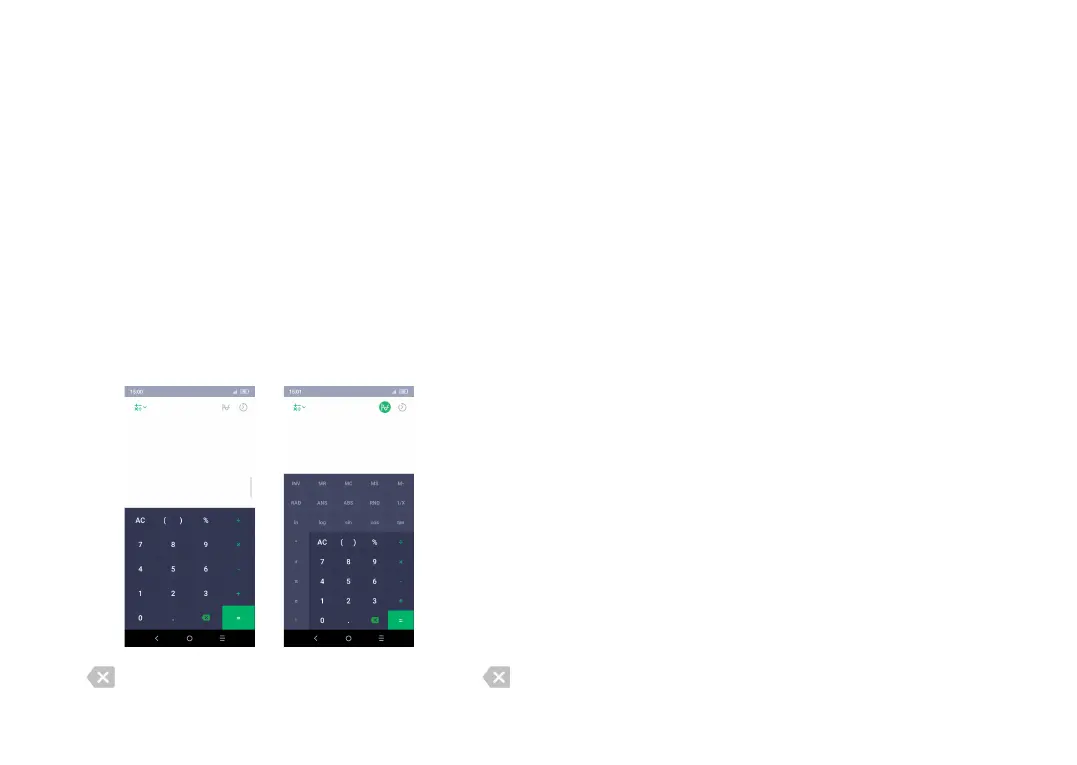
To use the calculator, slide up from the Home screen,
then touch Calculator.
There are two panels available: Basic panel and Advanced
panel.
To switch between panels, select one of the following
two ways:
• Swipe the basic calculation screen to the left to open
the scientific calculation.
• Turn the phone to the landscape orientation from
the basic panel to open the scientific calculation. This
option is only available if Settings > Display > Auto-
rotate screen is on.
Touch to delete digits one by one, or long press
to delete all at once.
6
Getting connected ..................
To connect to the internet with this phone, you can use
GPRS/EDGE/3G networks or Wi-Fi, whichever is most
convenient.
6.1 Connecting to the internet
6.1.1 GPRS/EDGE/3G
The first time you turn on your phone with your
SIM card inserted, it will automatically configure your
network service: GPRS, EDGE , 3G.
If the network is not connected, you can turn on celluar
saver in Settings > Network & connection > Data usage.
To check the network connection you are using, touch
Settings > Network & connection > Cellular networks
> Access Point Names.
To create a new access point
A new GPRS/EDGE/3G network connection can be
added to your phone with the following steps:
• Touch Settings > Network & connection > Cellular
networks > Access Point Names.
• Touch to enter the required APN information.



 To Next Page