10 11
Email
The first time you set up your phone, you can
select to use an existing Email account or to
create a new one.
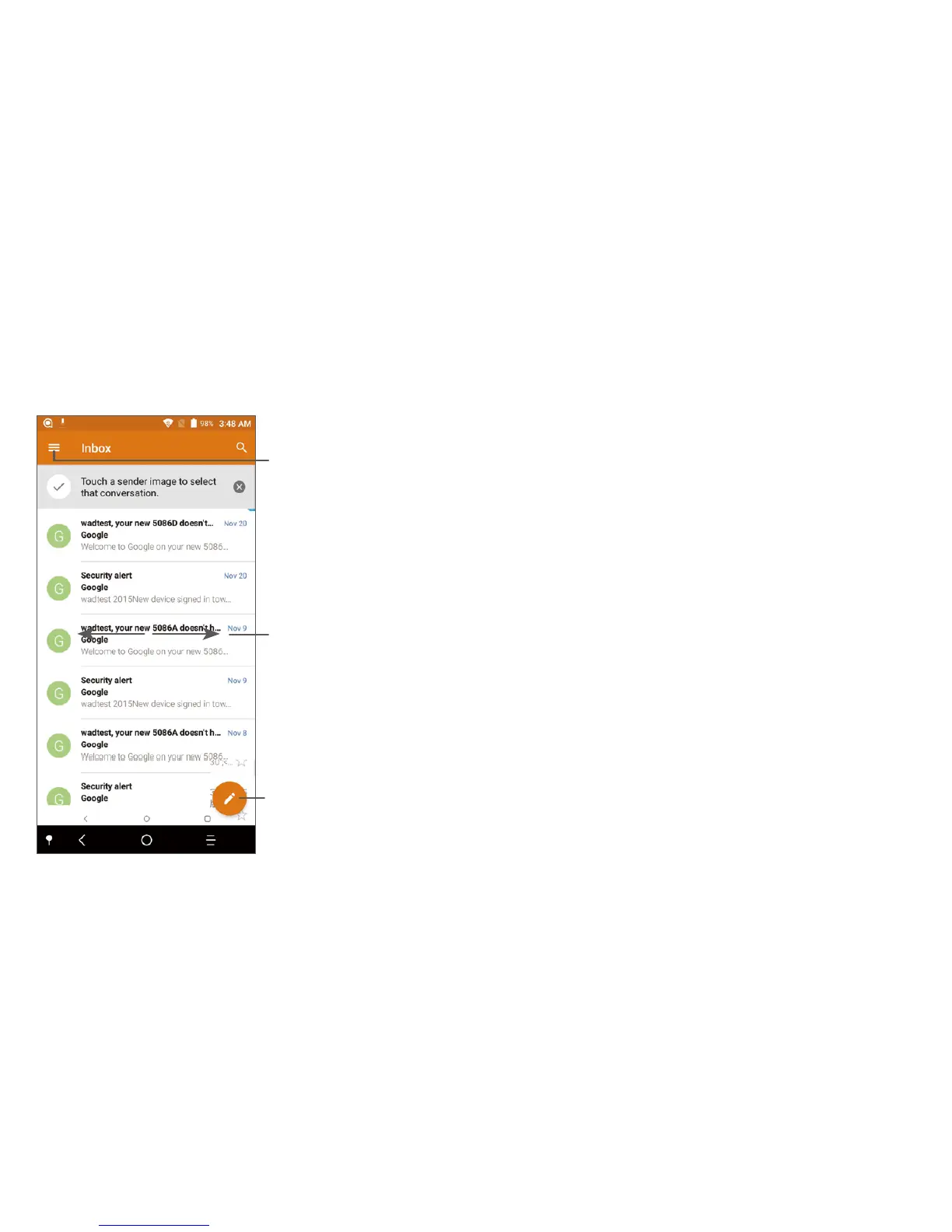
See options and settings
Swipe left or right to delete
the email
Create an email
Help
To get help:
• View user manual and FAQ
Visit http://www.alcatelmobile.com
• Update your phone's software
Go to Settings > About phone > System
updates
• Back up your personal data
Go to Settings > Backup & reset > Back up
my data and turn it on.
• Reset your phone
Go to Settings > Backup & reset > Factory
data reset, and then touch RESET PHONE.
To get more info, you can access the Support
Center application.



 To Previous Page