4
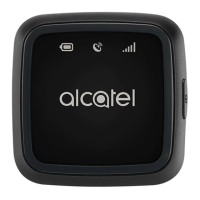
Category Descripon
Baery
indicator
• Blinks red during charging
• Lights blue when fully charged
• Lights red when baery level is low
GPS indicator
• Blinks red when searching for a GPS signal
• Lights blue when your MOVETRACK has
found its GPS locaon.
• Lights red when your MOVETRACK is unable
to nd its GPS locaon
Network
Indicator
• Lights blue when connected to the cellular
data network.
• Lights red when there is no network
coverage (please ensure that your Nano-SIM
is inserted correctly).
Power On/O
• Press once to show baery/GPS/network
status.
• Press and hold for 3 seconds to turn on your
MOVETRACK.
• Press and hold for 3 seconds to turn o your
MOVETRACK.



 To Next Page