13 14
Your mobile
2
..........................
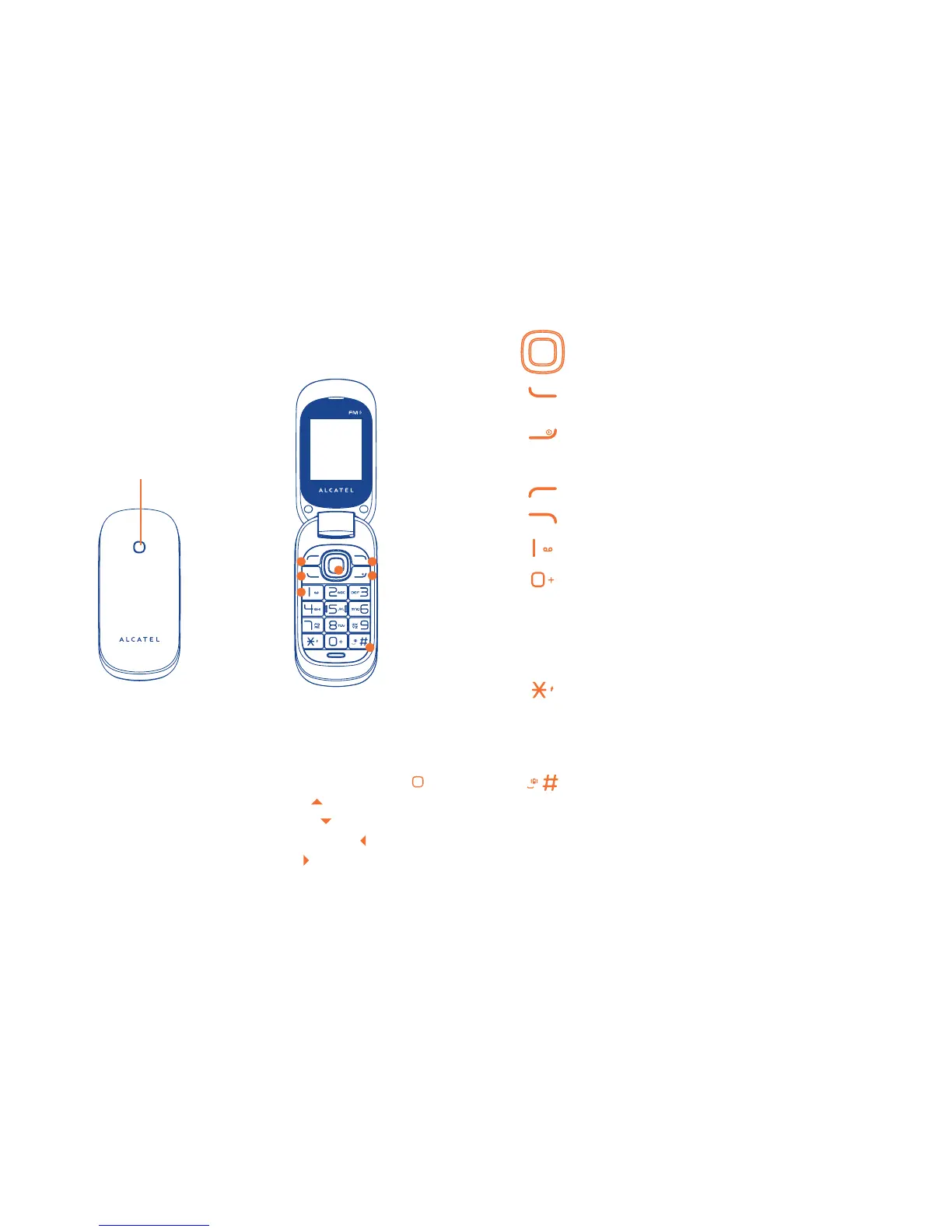
Keys2.1
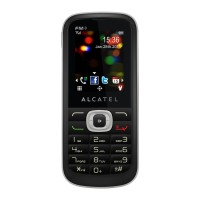
Navigation key
Confirm an option (press the middle of the key)
Send call
Access call log (idle screen)
Power on/off the handset (press and hold)
End call
Return to idle screen
Left softkey
Right softkey
Dial the voicemail number (press and hold)
From Idle screen
- Press: input "0"
- Press and hold: input the symbol “+/P/W”
In Edit mode:
- Press: access the symbol table (words mode)
input "0" (number mode)
From Idle screen
- Press: input "*"
In Edit mode:
- Press: change input methods
- Press and hold: switch languages
From Idle screen
- Press: input "#"
- Press and hold: activate/deactivate the vibrator
In Edit mode:
- Press: input a space
- Press and hold: input "#"
n Left softkey
o Call log (Idle screen)
Send call
p Voicemail
q Right softkey
r Power on/Power off
End call
s Vibration alert
t Navigation key :
Menu/Confirm an option
Profiles
Calendar
Create message
Alarm
1
2
3
4
7
5
6
LED lights when it's charging
LED flashes in following conditions:
Incoming/Missed/Unchecked calls
Unread messages
Low battery





 To Next Page