
 Need help?
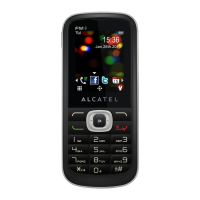
Do you have a question about the Alcatel ONE TOUCH 556 and is the answer not in the manual?
Highlights camera, MMS, personalization, and gaming capabilities.
Covers traffic safety, conditions of use, battery, privacy, and radio waves.
Accessing support online, security, and general phone information.
Explains the physical layout and key functionalities of the phone.
Details on phone keys, navigation methods, and screen icons.
Inserting SIM, powering the phone on, and switching it off.
Guide to call operations, including waiting, conferencing, and volume.
Managing call logs, numbers, and configuring call settings like forwarding and barring.
Creating, sending, and reading SMS and MMS messages.
Consulting, creating, and managing contacts across different directories.
Using the Diary, Alarms, Calculator, Converter, and other tools.
Organizing and accessing photos, videos, and sounds.
Taking photos, burst shots, and configuring camera settings.
Downloading, installing, and managing Java applications and games.
Customizing phone appearance, sounds, and using "My One Touch" services.
 General
| Brand | Alcatel |
|---|---|
| Model | ONE TOUCH 556 |
| Category | Cell Phone |
| Language | English |








 To Next Page