EasyManua.ls Logo

Alcatel ONE TOUCH 556 - Basic Phone Operations; Device Hardware and Key Functions

Alcatel ONE TOUCH 556
53 pages
Print Icon
To Next Page IconTo Next Page
To Previous Page IconTo Previous Page
Loading...
10
1
Your mobile ....................................................
One Touch 556
9
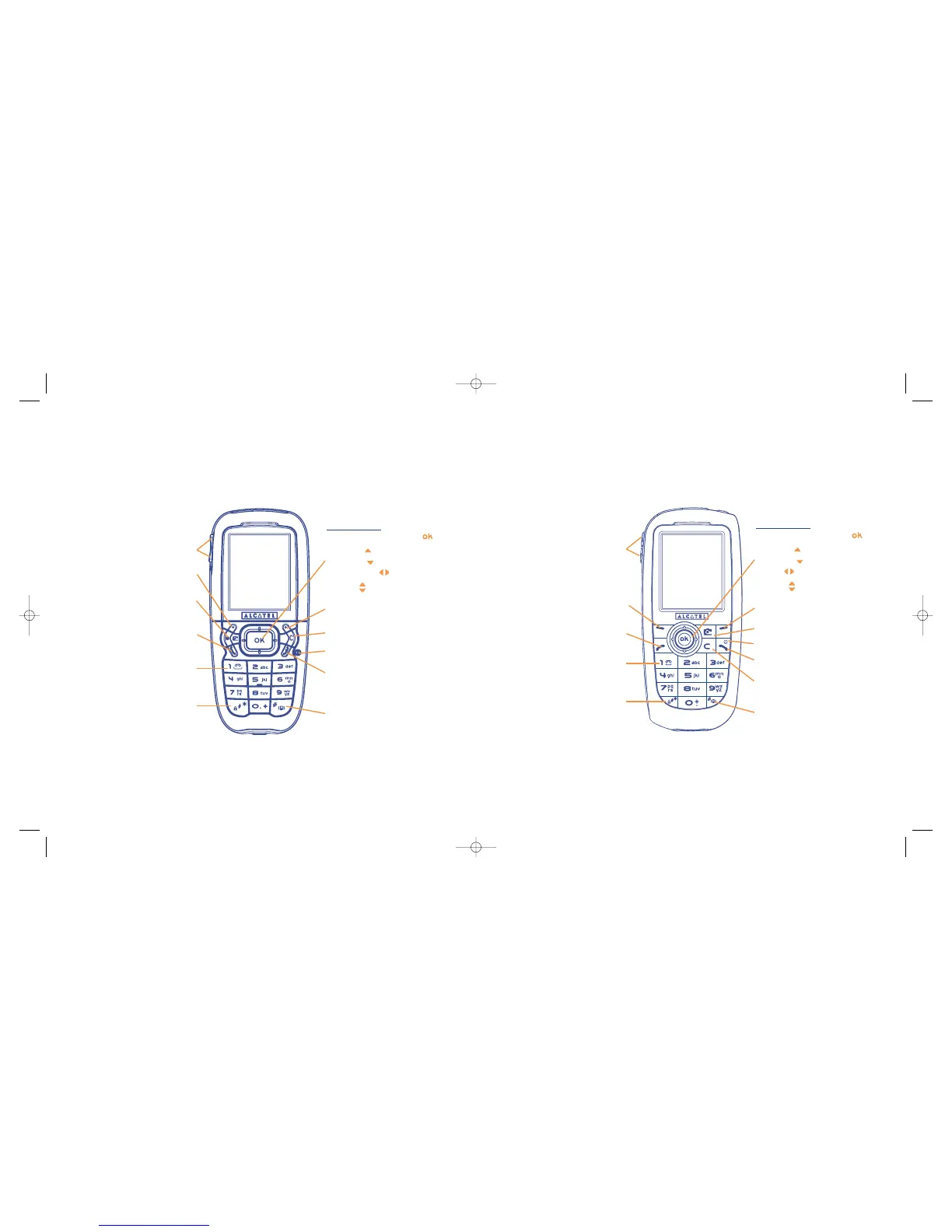
Clear
Back
Voicemail
Switch on/Switch off
Keypad lock/unlock
Edit mode
Left softkey
Right softkey
Operator key/Personal key/
Camera key
(1)
Pick up/Send call
Call memory
Voice tag
Navigation key
(1)
:
Menu/Confirm an option
Messages
Directory
Media Album
Volume
Access the symbols table
Vibrator
(1)
Depending on your network operator.
2 side keys
End call
Clear
Back
Voicemail
Switch on/Switch off
Keypad lock/unlock
Edit mode
Left softkey
Right softkey
Pickup/Send call
Call memory
Voice tag
Navigation key
(1)
:
Menu/Confirm an option
Messages
Directory
Album
Volume
Access the symbols table
Vibrator
(1)
Depending on your network operator.
2 side keys
End call
Operator key/Personal key/
Camera key
(1)
One Touch 557
TH3_TTTO_UM_GB_06-09-04 9/09/04 15:30 Page 9

Table of Contents

Related product manuals