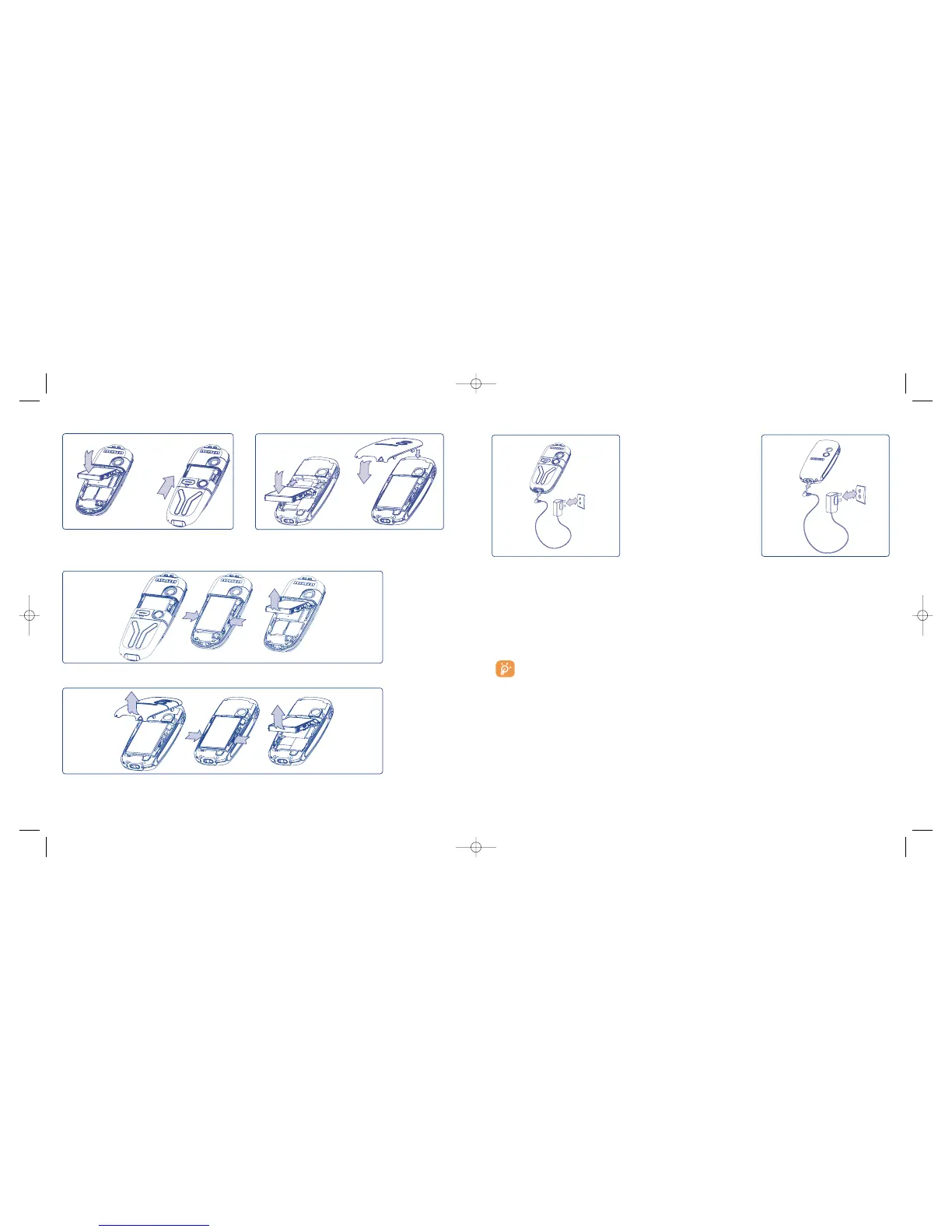
• A short beep will sound when charging begins.
• The animation may take several minutes to start and may emit a slight whistling sound if the battery is
flat.
• Be careful not to force the plug into the socket.
• The battery icon will take 2 minutes to indicate the correct charge level.
• Make sure the battery is correctly inserted before connecting the charger.
• The mains socket must be near to the phone and easily accessible (avoid electric extension cables).
The charge is complete when the animation stops. Only use ALCATEL chargers.
16
Unclip the cover, then the battery and remove it.
One Touch 556 One Touch 557
Installing the battery
Insert and engage the battery, then close the telephone cover.
Removing the battery









 To Next Page