2
Getting started ..................
2.1 Set-up
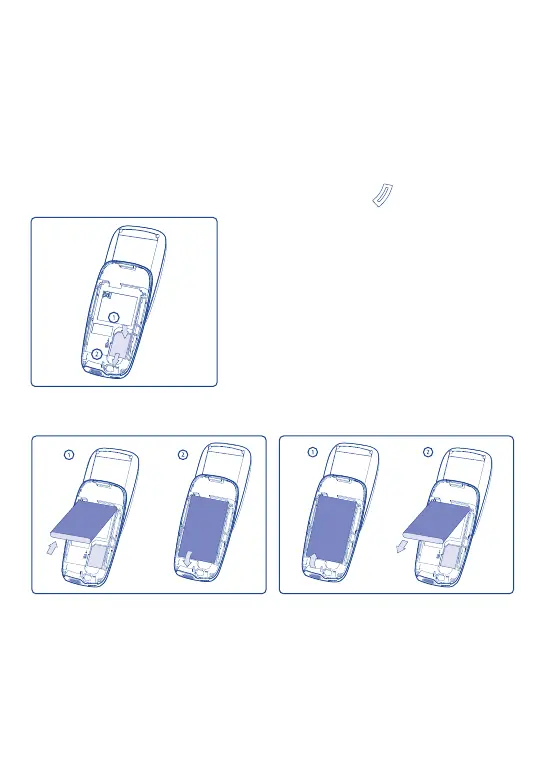
Inserting the SIM Card
(1)
You must insert your SIM card in order to use your phone. To insert your
SIM card, turn off your phone by holding down the key.
14
Fit the SIM card with the chip facing downwards.
Slide the SIM card into its compartment. Push
the SIM card with your finger to release it.
(1)
Check with your network operator to make sure that your SIM card
is 3V compatible. The old 5 Volts cards can no longer be used. Please
contact your operator.
Inserting and removing the battery
Align the tab on top of the battery with the slot in the battery compartment of
your phone. Press down the battery until the latch is securely in place.
SVLE5_UM_GB-23-01-06 23/01/06 9:21 Page 14



 To Next Page