51
13
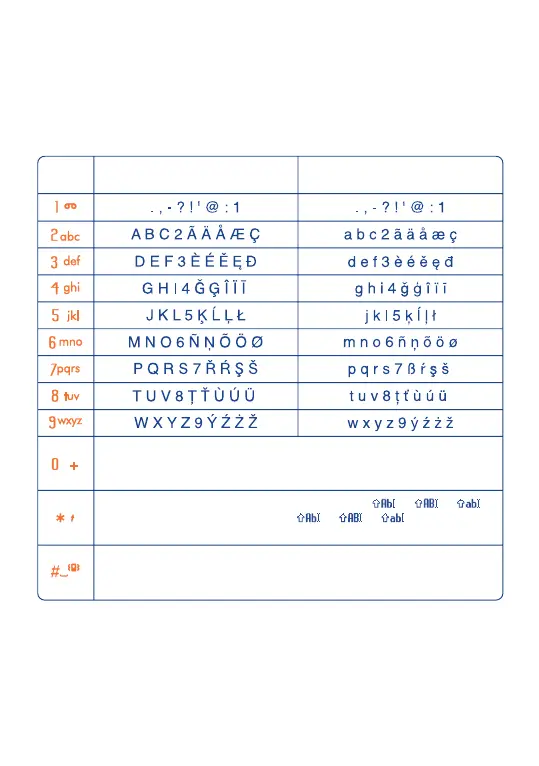
Character table ..................
To enter a word in normal mode, press the key corresponding to the
desired letter several times until the letter appears.
Key Upper case Lower case
Short keypress : select next word in the dictionary (predictive mode);
Long keypress: Input the digit "0".
Short keypress: Switch between normal mode (ABC) ( > > ) to
T9-predictive mode ( > > )
Long keypress: Display the symbols table
Short keypress: Validate the focused word and/or insert a space
Long keypress: Add a word
This table is given for information purposes only. It may vary depending
on the language and the model.
SVLE5_UM_GB-23-01-06 23/01/06 9:21 Page 51



 To Next Page