The predictive mode allows you to type your messages more quickly
without the need to press the same key several times.
Simply press once the key corresponding to the letter you need, and the
phone will suggest the most common words from the dictionary.
The word may change as you type - don't worry about what's on the
screen until after you finish the word. Confirm the suggested word by
pressing the key.
If the finished word is wrong, use the key to cycle through other
words in the dictionary. If your word is missing, add it using the normal
mode (ABC).
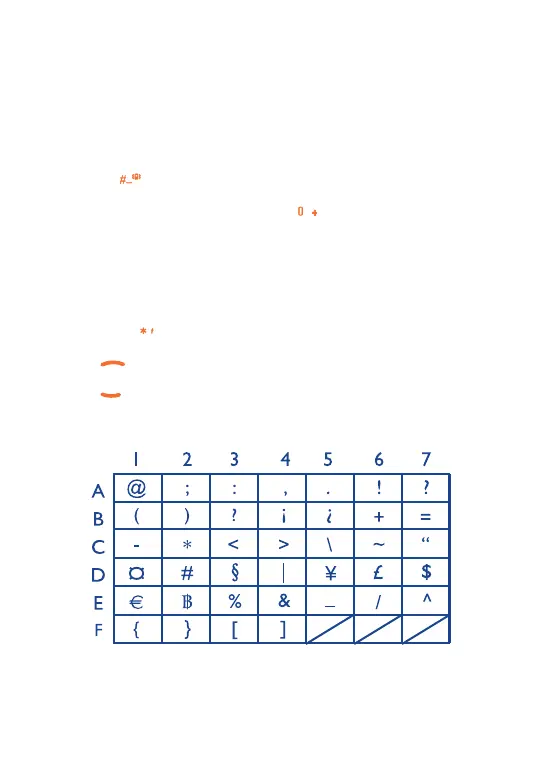
Symbols bar
Hold down the key to display the symbols bar.
Press the key to go left,
Press the key to go right.
Press the left softkey to confirm and insert the symbol.
52
SVLE5_UM_GB-23-01-06 23/01/06 9:21 Page 52



 To Next Page