7
7. Help
Click Help to open the User Manual.
8. Charging the device
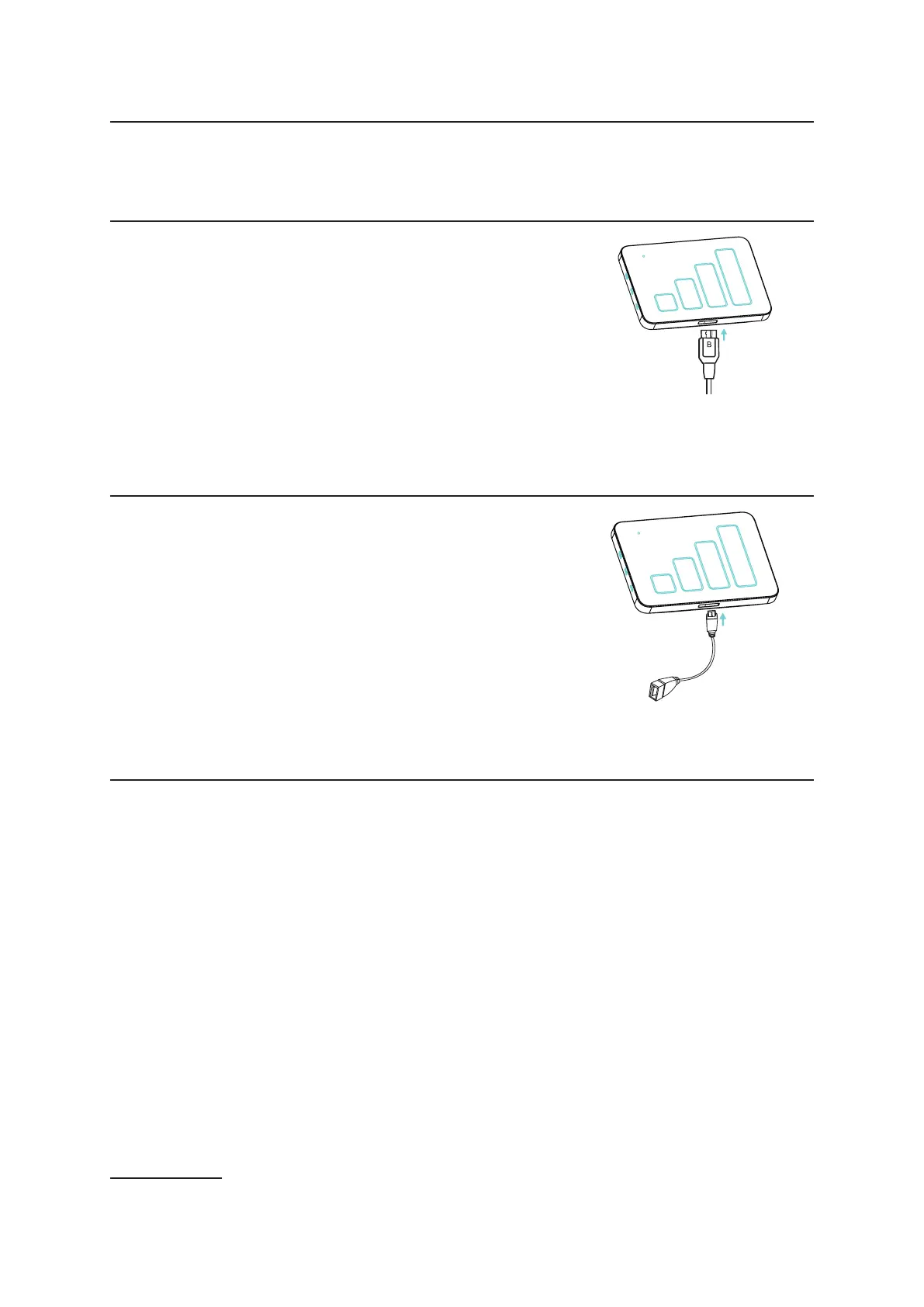
Charging begins when you connect the 3.0 USB cable with
Charger and the device.
When the device is powered off, charging will take a maximum
of 3 hours.
Note: To protect the battery, charge the device when the low
power LED indicator ashes.
9. Charging up other devices
Use the OTG cable insert the device to power up other
devices like tablets and smartphones. (Only 3600mAh battery
version with this function.)
10. Warranty
• The device is warranted against any deviation from technical specications for a period of
twelve (12) months from the date specied on your original invoice
1
.
• Under the terms of this warranty, you must immediately inform your vendor in case of a
conformity defect on this device, and present a proof of purchase.
• The vendor or repair center will decide whether to replace or repair this device, as
appropriate.
• Repaired or replaced this device are warranted ONE (1) month unless there are statutory
provisions to the contrary.
• This warranty shall not apply to damage or defects to this device due to:
1) Not following the instructions for use or installation,
2) Not being compliant with technical and safety standards applicable in the geographical
area where this device is used,
3) Improper maintenance of sources of energy, and of the overall electric installation,
1 The mandatory warranty period may vary if overriding statutory provisions are applicable in your jurisdiction.


 To Next Page