
EasyManua.ls Logo

ALDI EDR050BAUW - User Manual

ALDI EDR050BAUW
25 pages
Print Icon
To Next Page IconTo Next Page
Loading...
User Manual
Manual
del usuario
Englis h............ 1
Español..........23
2017.01.20
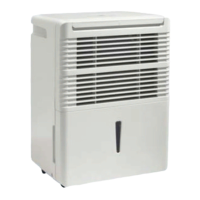
50 PINT DEHUMIDIFIER
DESHUMIDIFICADOR DE 24 LITROS

Questions and Answers

  • E
    ericahahnAug 12, 2025
    What to do if my ALDI Dehumidifier does not start?
    • O
      olevyAug 12, 2025
      If your ALDI Dehumidifier doesn't start, there are several potential causes: * Ensure the dehumidifier is properly plugged into the outlet. * Check the house fuse or circuit breaker and replace the fuse or reset the breaker if necessary. * The dehumidifier might have reached its preset level or the bucket is full. Try changing to a lower setting or emptying the bucket and replacing it correctly. * Make sure the bucket is correctly placed. * If there was a recent power failure, there may be a protective time delay of up to 3 minutes.
  • K
    kmartinAug 16, 2025
    Why is my ALDI EDR050BAUW not drying the air properly?
    • S
      sabrinaobrienAug 16, 2025
      If your ALDI Dehumidifier isn't drying the air as expected, consider these factors: * Allow at least 24 hours for the unit to achieve the desired dryness. * Ensure that curtains, blinds, or furniture aren't blocking the front or back of the dehumidifier. * Set the humidity control to a lower percent value for drier air. * Confirm that all doors, windows, and other openings are securely closed. * Position the dehumidifier away from the clothes dryer, and ensure the dryer is vented outside. * Note that moisture removal is most effective at higher room temperatures above 5°C (41°F).
  • B
    bortizAug 19, 2025
    Why does my ALDI EDR050BAUW Dehumidifier run too much and collect water?
    • A
      Ashley BrownAug 19, 2025
      If your ALDI Dehumidifier runs excessively and collects water, it might be due to: * The area being too large for the dehumidifier's capacity. * Open doors and windows. Ensure all doors and windows are closed.
  • M
    Michele BakerAug 23, 2025
    How to fix water on the floor from my ALDI EDR050BAUW?
    • M
      Mary WaltonAug 23, 2025
      If you find water on the floor near your ALDI Dehumidifier, check if: * The hose connection may be loose. Check the hose connection. See 'Continuous Drain' section * The bucket is used to collect water, but the hose is attached. Disconnect the hose if using the bucket to collect water, see 'Continuous Drain' section.
  • M
    matthewfrenchAug 27, 2025
    What to do if my ALDI Dehumidifier runs too much but does not collect water?
    • D
      Dominique HendrixAug 27, 2025
      If your ALDI Dehumidifier runs excessively without collecting water, try resetting the controller. Set it to 40% RH, allow the bucket to fill, then empty it, and adjust the controller to your desired % RH.
  • J
    Jean BellAug 30, 2025
    Why does frost appear on the coils of my ALDI EDR050BAUW Dehumidifier?
    • D
      David JenkinsAug 30, 2025
      If frost appears on the coils of your ALDI Dehumidifier, it's likely normal if the unit has been recently turned on or the room temperature is below 5°C (41°F). The frost should disappear within 60 minutes. See the 'Defrost' section.
  • T
    Todd WrightSep 3, 2025
    Why can't I set the controls on my ALDI EDR050BAUW Dehumidifier?
    • J
      Jack EscobarSep 3, 2025
      If you cannot set the controls on your ALDI Dehumidifier, it is normal for the compressor to turn off and the fan to continue running for about 3 minutes at a fixed setting. Wait approximately 3 minutes before setting the fan as desired.
  • P
    Patricia AustinSep 7, 2025
    Why is my ALDI Dehumidifier making fan noise?
    • M
      Matthew HaysSep 7, 2025
      Fan noise from your ALDI Dehumidifier is normal, as it indicates air is moving through the unit.

Summary

Important Safety Information

Electrical Requirements and Safety Precautions

Safety Precautions

Essential safety practices for operating the dehumidifier to prevent injury and damage.

Grounding Instructions

Dehumidifier Features Overview

Installation and Location Guidelines

Location

Recommendations for placing the dehumidifier for optimal airflow and performance.

Operating Instructions and Controls

Control Panel Overview

Explanation of the dehumidifier's control panel buttons, display, and indicator lights.

Error Codes and Indicator Lights

Meaning of error codes and functions of indicator lights for operational feedback.

Timer and Water Tank Functions

Timer Functions

How to program auto-start and auto-stop features for convenience.

Water Tank Operation

Understanding the water tank's role and safety switch mechanism.

Dehumidifying Modes and Water Removal

Dehumidifying Mode Instructions

How to select operating modes and fan speeds for desired humidity levels.

Removing Collected Water

Step-by-step guide for safely emptying the water bucket.

Continuous Draining and Cleaning Procedures

Continuous Draining Setup

Instructions for connecting and using the continuous drainage feature.

Cleaning and Maintenance

Procedures for cleaning the unit's grill, case, and water bucket.

Air Filter and Troubleshooting

Air Filter Maintenance

How to remove, clean, and re-install the air filter for optimal performance.

Troubleshooting Common Issues

Solutions for common problems like unit not starting or not drying effectively.

Full Warranty Conditions

ALDI EDR050BAUW Specifications

General IconGeneral
BrandALDI
ModelEDR050BAUW
CategoryDehumidifier
LanguageEnglish