Need help?
Do you have a question about the ALDI OL 250-L-17 and is the answer not in the manual?
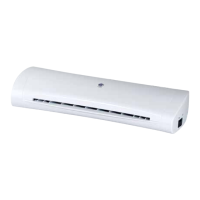
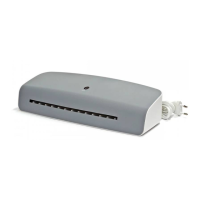
This document is the user manual for the Office Pro A4 Laminator, model OL 250-L-17, product code 95490. It is a white/grey mat device designed for hot lamination of documents up to A4 size.
The Office Pro A4 Laminator is designed for personal use to laminate documents, protecting them from damage and wear. It operates using a hot lamination process with two rollers to seal documents within a laminating pouch. The device features an infeed slot for the laminating pouch and an output slot where the laminated document emerges. An antiblocking system (ABS) is integrated to help remove jammed pouches, ensuring smoother operation. The laminator is equipped with a ready indicator that changes color to signal when the device has reached the optimal laminating temperature.
The laminator is straightforward to use. To activate, the ON/OFF switch is moved to the "ON" position. The ready indicator, initially black, turns red once the laminator reaches the correct operating temperature (approximately 135 °C), which takes about 1.5 to 2 minutes depending on ambient conditions. Documents are placed between the two sides of a laminating pouch (not included), ensuring the document is flush with and aligned close to the sealed edge of the pouch. The pouch is then inserted, closed-edge first and centered, into the laminating pouch infeed slot. The heating rollers automatically pull the pouch through and eject it from the output slot. After lamination, the pouch should be removed and allowed to cool on a flat surface. The device should be switched off by moving the ON/OFF switch to "OFF" when not in use.
A key usage feature is the antiblocking system (ABS). If a laminating pouch is inserted incorrectly or jams, the ABS switch can be moved towards the infeed slot and held down, allowing the user to pull the jammed pouch out. It is recommended to pull the pouch out from its larger end. The document can then be re-laminated with a new pouch.
The manual emphasizes proper placement: the laminator should be on an easily accessible, level, dry, heat-resistant, and stable work surface, not directly against a wall or under cupboards to prevent heat build-up, and protected from direct sunlight. It should only be used indoors and not in wet rooms.
Maintenance primarily involves cleaning. Before cleaning, the laminator must be switched off and the mains plug disconnected, then allowed to cool completely to prevent burn hazards. The exterior of the laminator can be wiped with a damp cloth, ensuring all parts dry completely afterward. Aggressive cleaners, brushes with metal or nylon bristles, sharp objects, or metallic cleaning utensils should not be used, as they can damage the surfaces. The laminator should never be submerged in water or other liquids, nor placed in a dishwasher.
For cleaning the heating rollers, the laminator is switched on, and once the ready indicator turns red, a folded sheet of paper is inserted, folded-edge first, into the laminating pouch infeed slot. This process should be repeated until no more glue deposits cling to the paper. Afterward, the laminator is switched off.
For storage, the laminator should be dry, stored in a clean, dry area, protected from direct sunlight, and kept out of reach of children. It should not be stored near a heat source, and the mains cord should not be folded or kinked. The original packaging can be used for storage.

 To Next Page
 General