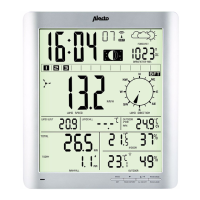
Switching the DCF receiver on/o:
You can turn o the DCF receiver as follows, allowing you to have
only the time and date shown on the display according to your pro-
gramming:
• turn o: press and hold the RCC button at the rear of the indoor
unit for 4 seconds until the antenna symbol disappears.
You can turn the receiver back on as follows:
• turn on: briey press the RCC button at the rear of the indoor unit
until the antenna symbol starts ashing
‘DST’ in the display.
‘DST’ stands for Daylight Saving Time.
‘DST’ illuminates when the displayed time is the daylight saving time.
Alarm:
Setting & turning on the wake-up alarm:
1. press and hold the ALARM SET button for
2 seconds
2. use +/‑ to set the hours and briey press the ALARM SET button
3. use +/‑ to set the minutes and briey press the ALARM SET
button, the alarm time is now saved (and is also activated imme-
diately)
Switching on/o:
Briey press 2x the ALARM SET button. When the wake-up alarm
is currently enabled, “ ” will be shown; if “ ” is not illuminated, the
alarm is disabled.
Operation:
• As soon as the set time is reached, the alarm will sound for up to
120 seconds.
• Press the ALARM SET button to stop the alarm signal earlier or
press the SNOOZE/ LIGHT button to enable the snooze function;
the wake-up alarm will then sound again after 5 minutes.
• The alarm is repeated daily.
Temperature display:
Use the °C / °F switch at the rear of the indoor unit to display the
temperature in degrees Celsius or in degrees Fahrenheit.
14



 To Next Page