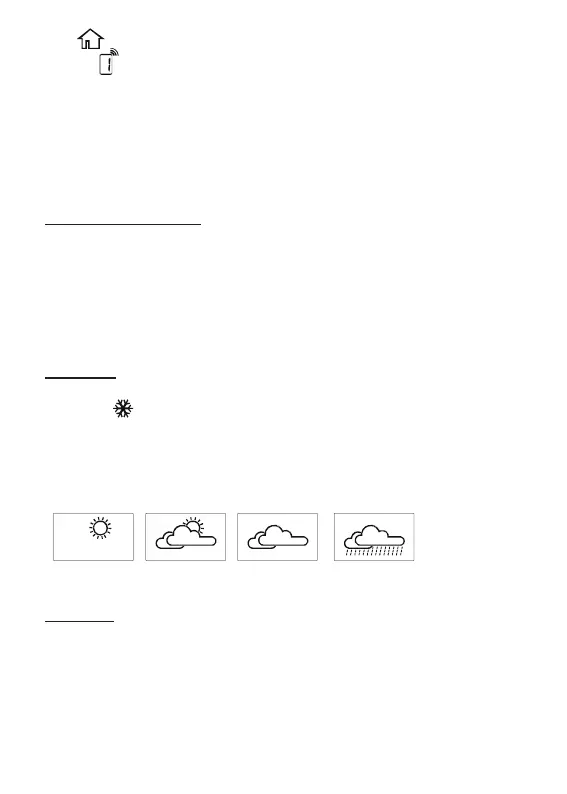
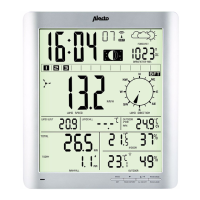
The symbol is followed by the indoor temperature.
Behind that the outdoor unit is shown from outdoor unit 1.
Use the CH button at the rear of the indoor unit to display the
temperature from outdoor unit 2 or 3 or press and hold the CH for 2
seconds to automatically start scrolling through all channels. Briey
press the CH button to stop this scan.
See also chapter ‘Expansion’.
Max/min temperature:
Briey press the MEM button to check the maximum temperature
measured, press the MEM button again for the minimum tempera-
ture.
Press and hold the MEM button for 3 seconds to delete the MAX and
MIN values. Also after replacing the batteries of pressing the RESET
button, the MAX and MIN values are deleted.
Ice alarm:
As soon as the outdoor temperature falls within a range of +3°C and
-2°C, the symbol starts ashing in the display.
Weather forecast:
The WS-2200 can predict the weather for the following 12 to 24 hours
based on the changes in air pressure and shows this forecast using
the following icons:
Sunny partly
cloudy
cloudy rainy
Remarks:
• the accuracy of a forecast based on air pressure is 70% to 75%;
please keep in mind that a correct display of the weather forecast
is not guaranteed.
• the prediction is based on the coming 12 to 24 hours and does not
necessarily represent the current weather conditions.
• the ‘Sunny’ forecast shown at night means an open weather type.
• the ‘Rainy’ prediction during winter, usually means snow.
15



 To Next Page