Chapter 4 – Editing Programs
40
MidiVerb 4 Reference Manual
Editing Effect Parameters
Editing Programs is only possible while in Program mode. This means that the
[PROG] button must be lit. If the [PROG] button is not lit, press it now. From
Program mode, you can edit the currently selected Program by pressing either
[EDIT/PAGE] or any of the [A], [B], [C] or [D] buttons. Upon entering Edit mode, the
display will change to show you up to four parameters associated with the selected
Program.
L R
PRESET
01
Decay LPF PDly PMix
4
5
1
3
2
PAGE 1 2 3
395 § 2@8 ∂ ¶ 150© ¢ 000å¡
A B C DEDITED
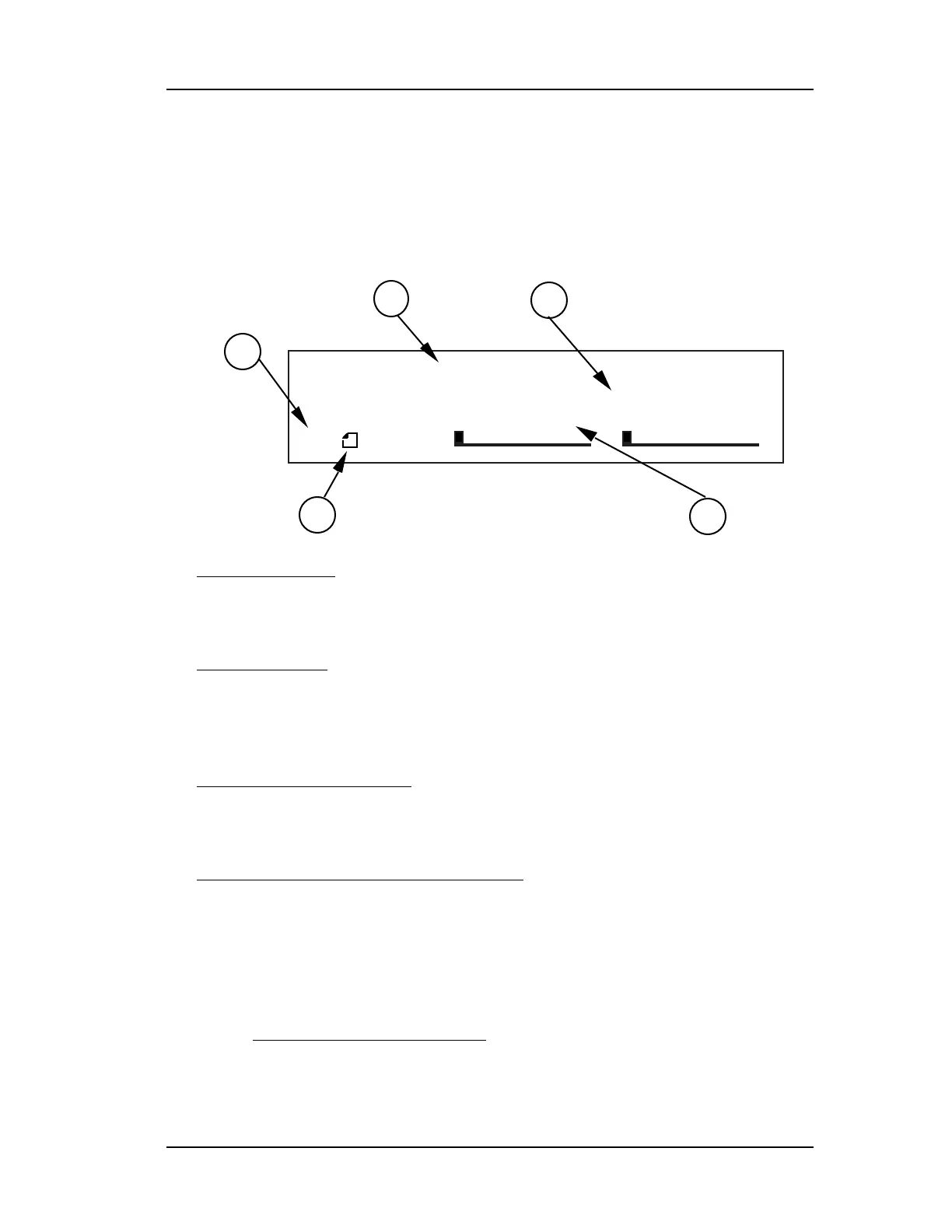
➀
Page Numbers
. Depending on the Configuration, there will be
up to four pages available in Edit mode. In this example, only three
pages are available.
➁
Selected Page
. The currently selected page will be indicated by
a box around its number. In this example, page 1 is currently
selected. Each time you press the [EDIT/PAGE] button, the display will
advance to the next page.
➂
Parameter Name Strip
. Each page in Edit mode contains up to
four parameters. whose names will appear at the top of the display,
above their value settings.
➃
Parameter Values and Bar Graphs
. Each parameter in the
selected page is shown with both a numerical value and a bargraph.
When a parameter is selected for editing, its value will flash in the
display. As you adjust a parameter, both its numerical value and
bargraph will change in relation to the [VALUE] knob’s position. The
type of units a parameter uses will be shown as well (dB, kHz, etc.).
➄
A, B, C, D and EDITED Indicators
. Each parameter in the selected page is
designated by a letter (A, B, C or D), which indicates which button ([A], [B], [C]
or [D]) should be pressed to select the desired parameter for editing. Once a
parameter has been edited, the word “EDITED” will appear below it.













 To Next Page