EasyManua.ls Logo

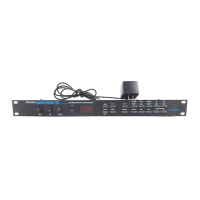
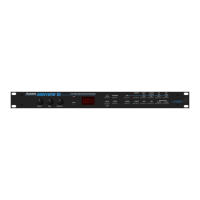
Alesis MICROVERB 4 - User Manual

Alesis MICROVERB 4
44 pages
Print Icon
To Next Page IconTo Next Page
Loading...
ALESIS
MicroVerb 4
Reference Manual

Table of Contents

Questions and Answers

  • S
    Stacey CabreraJul 26, 2025
    Why is my Alesis MICROVERB 4 sound distorted and the red 'Clip' LEDs are lit?
    • S
      simmonsericaJul 26, 2025
      The sound distortion and the lit red 'Clip' LEDs indicate that the input level is too high. To resolve this, simply turn down the Input Level control.
  • M
    Monica MitchellJul 31, 2025
    What to do if no audio is heard from Alesis Recording Equipment?
    • J
      Jeremy LeeJul 31, 2025
      If you're not hearing any audio, there could be a couple of reasons: * The Bypass function might be on while the Mix is turned 100% wet. Try turning the Mix control to the left or pressing the Bypass Footswitch. * The output level might be too low. In that case, turn the Output control to the right.
  • S
    Samantha SellersAug 5, 2025
    How to fix hum or noise from Alesis Recording Equipment output?
    • S
      Susan BarreraAug 5, 2025
      Hum or noise from the output usually indicates a ground loop. Try plugging the Alesis unit into another power jack or using different audio cables to resolve this.
  • R
    Robert KimAug 9, 2025
    What to do if Alesis Recording Equipment does not respond to MIDI program changes or modulation control?
    • M
      Melinda BrownAug 10, 2025
      If your unit isn't responding to MIDI program changes, the MIDI channel might be set to a different number than the controlling device. To fix this, hold the [BANK/MIDI] button and turn the [VALUE] knob to adjust the MIDI channel.
  • M
    Melinda SandersAug 14, 2025
    What to do if Alesis MICROVERB 4 does not respond to front panel controls?
    • A
      Abigail KellerAug 15, 2025
      If the unit is not responding to the front panel controls, disconnect the MIDI input, then power the unit down and up again. If the problem persists, try reinitialization. The cause may be an unknown software conflict, cosmic rays, aliens, or static electricity.
  • J
    Jason WallaceAug 19, 2025
    Why does the display not light on my Alesis MICROVERB 4 Recording Equipment?
    • P
      Peter BoydAug 20, 2025
      If the display doesn't light up when you power on the unit, the most likely cause is that it's not getting power. Check that the power cable is plugged in properly.

Summary

Your First Session with the MicroVerb 4

Adjusting Mix Levels and Storing Programs

Balancing dry/wet signals and saving edited program settings.

Connections

Audio Connection Guidelines

Best practices for using high-quality cables and routing audio signals.

Direct Instrument and Console Interfacing

Connecting instruments directly and interfacing with mixing consoles.

MIDI Connections and Functions

Explanation of MIDI ports, functions, and setup for control.

Overview of Effects

Reverb Effects and Parameters

Explores reverb types like Hall, Room, Plate, and their adjustable parameters.

Chorus;Flange Effects

Covers Chorus and Flange effects, including Stereo Chorus and Stereo Flange.

Delay Effects and Parameters

Introduces Mono, Stereo, Ping Pong, MultiTap Delays and their parameters.

Description of Controls

Front Panel Controls

Explains Input, Mix, Output, Meters, Display, Store, Bank/MIDI, Value, and Edit knobs.

Rear Panel Connections

Details Power, Footswitch, MIDI In/Out/Thru, and Audio I/O jacks.

MIDI Applications

Troubleshooting

Alesis MICROVERB 4 Specifications

General IconGeneral
Inputs2 x 1/4" TRS
Outputs2 x 1/4" TRS
Frequency Response20Hz - 20kHz
A/D Resolution18-bit
D/A Resolution18-bit
EffectsReverb, Delay, Chorus, Flange, Pitch
Presets200
MIDIIn
Dynamic Range90 dB
THD<0.03%
Power Supply9VAC, 830mA

Related product manuals