71
8.1 APPENDIX 2: INTERFACE INFORMATION
8.1A Sony Editor Constants
If your editor does not recognize the SONY PCM-7030 machine ID,
the editor machine constants should be set as follows:
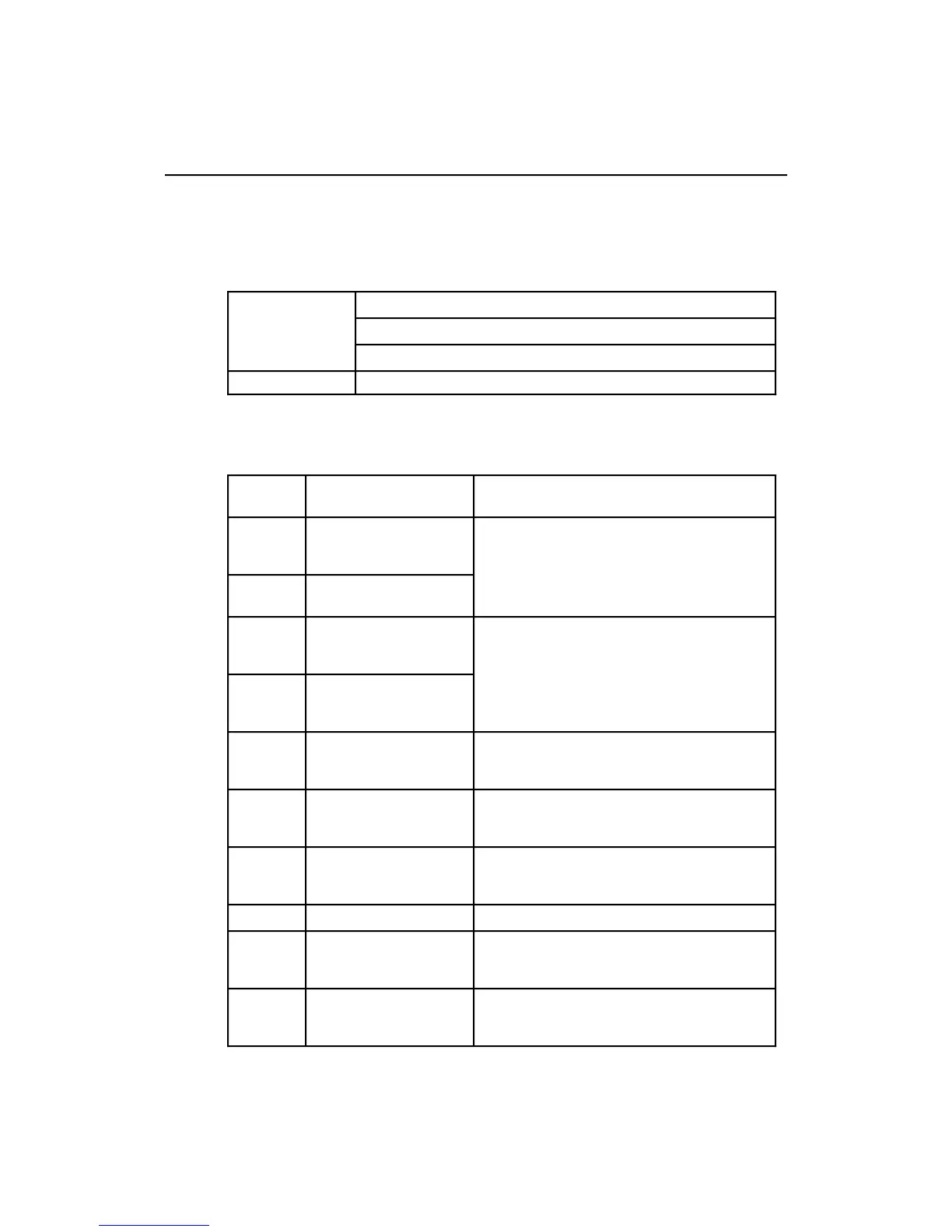
Constant Values (in hexadecimal)
VTR Item number
123456789101112131415
PCM-7030 (30 Fr) 70 00 00 96 05 05 03 80 0A 07 FF 00 00 5C FF
Description of VTR Constant settings
Item
Number
Setting Details of Setting
1 DEVICE TYPE
(most significant byte)
Specifies the VTR device type. Normally it is
not necessary to change this from hexadecimal
FFFF.
2 DEVICE TYPE
(least significant byte)
Factory default: FFFF (hexadecimal)
3 PREROLL TIME
(minimum preroll time,
most significant byte)
Specifies the minimum preroll time required by
the VTR.
4 PREROLL TIME
(minimum preroll time,
least significant byte)
5 EDIT DELAY Corrects for the delay (in frames) from a VTR
receiving a Record command until it actually
starts recording.
6 EE DELAY Corrects for the delay (in frames) from a VTR
receiving a PB/EE command, until it actually
enters the preview mode.
7 OVER RUN
(overrun time)
Corrects for the time (in frames) for which the
tape overruns the specified preroll point in a
preroll stop.
8 TRAJECTORY Specifies the optimum speed curve for preroll.
9 TC READ DELAY (time
code read delay)
Corrects for the delay (in frames) from tape
movement starting until the VTR is able to read
the time code.
10 START DELAY Corrects for the delay in frames from a VTR
receiving a tape transport command until it
actually starts moving the tape.



 To Next Page