6
2. SETTING UP THE SYSTEM
2.1 Stand Alone Operation without Connecting to a Computer
I. Plug in the power cord
II. Power up the CD Twin
III. Wait for the system to initialize
NOTE: Make sure the USB cable is un-plugged when using the
CD Twin in Stand Alone mode.
2.2 Connecting to a PC as an external CD-RW via USB 2.0
I. Power up the CD Twin
II. Connect the USB cable from the CD Twin to an available USB
port on your PC
NOTE: The CD Twin will automatically switch to PC LINK mode
when the USB cable is connected properly.
NOTE: PC LINK mode is designed to function with WINDOWS
2000 and XP operating systems.
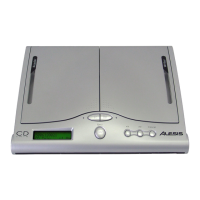
CD Twin
1. Copy Disc
<<< PC Link >>>


 To Next Page