11
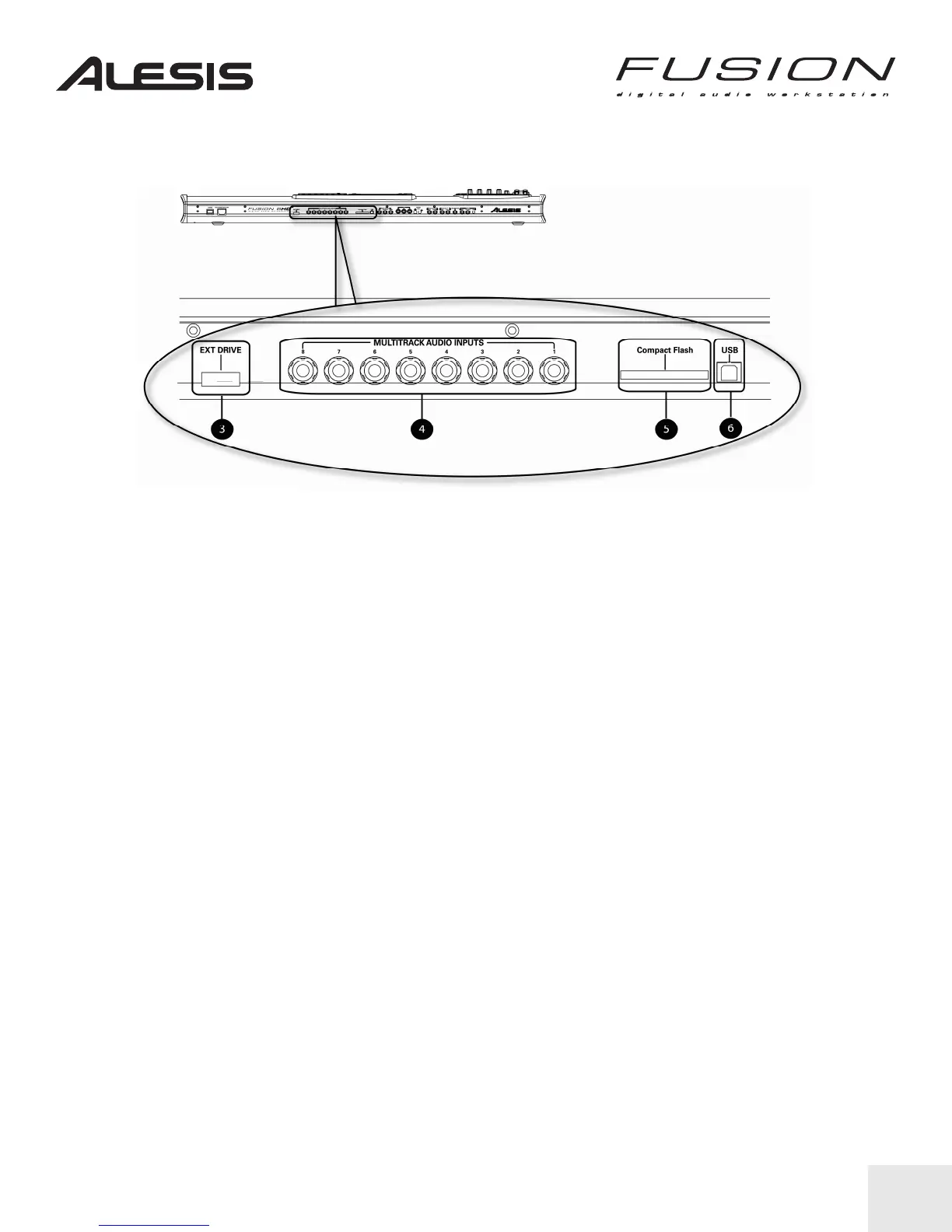
MULTITRACK INPUTS, EXTERNAL DRIVE PORT, COMPACT FLASH, USB
As you face the Fusion’s connections panel, the area toward the center left contains the
following:
3. EXT DRIVE: This Serial ATA-type connector allows you to connect an external CD-R or hard
drive to the Fusion.
4. MULTITRACK AUDIO INPUTS: These eight ¼-inch inputs connect to the Fusion’s multitrack
audio recorder. The Fusion can record 8 channels simultaneously.
5. COMPACT FLASH: This slot accepts CF cards for saving and loading programs, mixes,
samples, and many other kinds of files.
6. USB: This connector is used to hook up the Fusion to your computer. The Fusion supports
USB 2.0 and is backward-compatible with USB 1.1/1.0.


 To Next Page