20
To change an arpeggiation type
1. Press the Edit button.
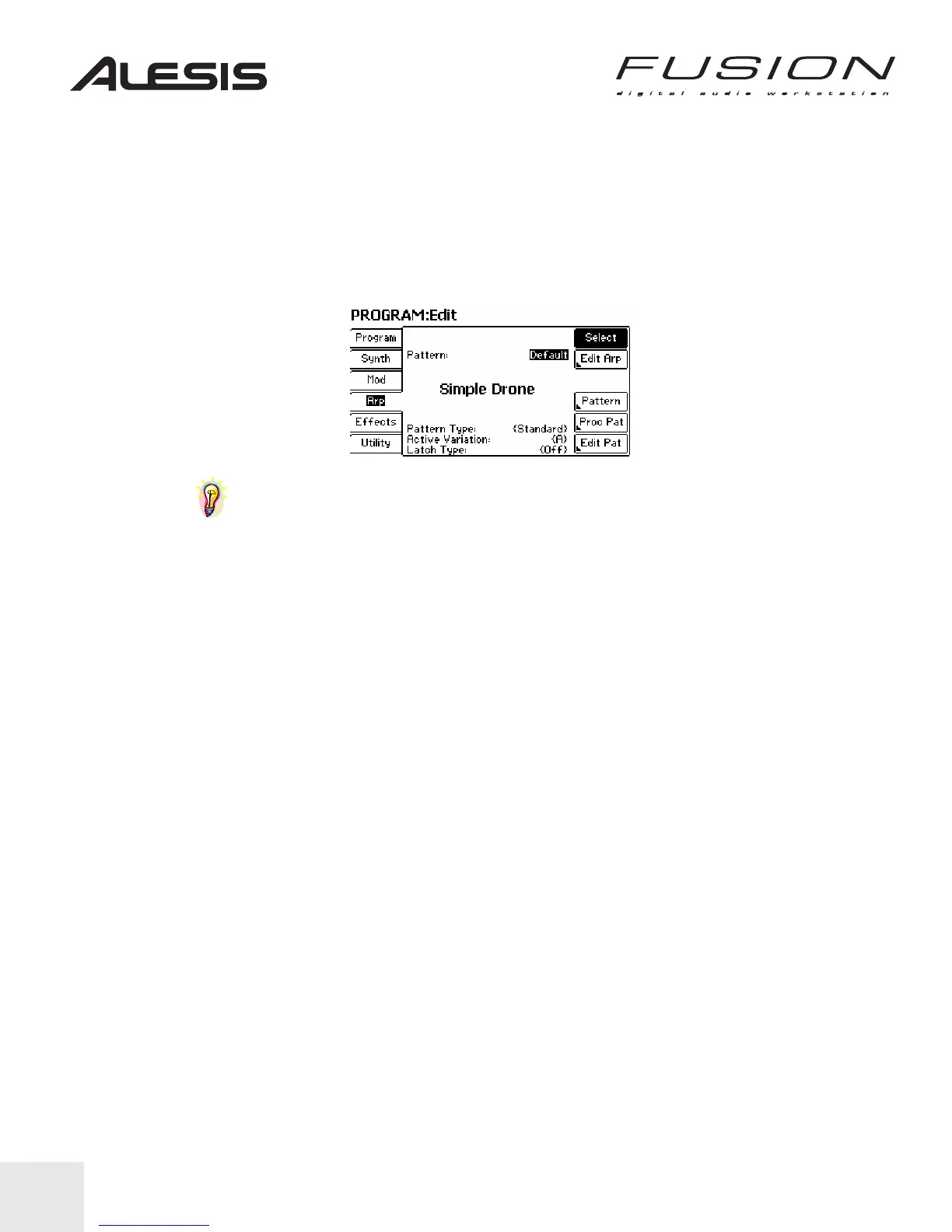
2. Select the Arp tab (using the corresponding soft button to the left of the LCD).
3. Use the NEXT and PREV buttons to position the cursor on the Pattern bank like the image
below.
4. Move the cursor to the Arpeggiator program number and use the Control Wheel or INC/DEC
buttons to change the arpeggiation program within the bank.
TIP: The Fusion’s arpeggiator can also be synchronized to internal and external clocks.
This enables the arpeggiator to play in time with a sequencer’s tempo setting. Refer to the
Reference Manual for additional information.


 To Next Page